
Create the right solutions for your production
No-Code Application Development for Manufacturing
Use the manubes designers to quickly develop, customise and deploy your own applications. Combine workflow automation with mobile GUIs and intuitive data management to optimise a wide range of processes.
Definition
What is no-code application development?
No-code application development is the creation of software applications with visual tools instead of programming code.
On a no-code platform, users build apps from ready-made building blocks by drag and drop: data structures, processes and user interfaces. No coding or programming skills are required. In manufacturing, this means that whoever knows a process best can build and adapt the right application themselves, without waiting for a software project. Low-code platforms, by contrast, still require code for some functions. The article Low-Code vs. No-Code explains the difference.
Targeted production optimisation
Build and deploy your own applications
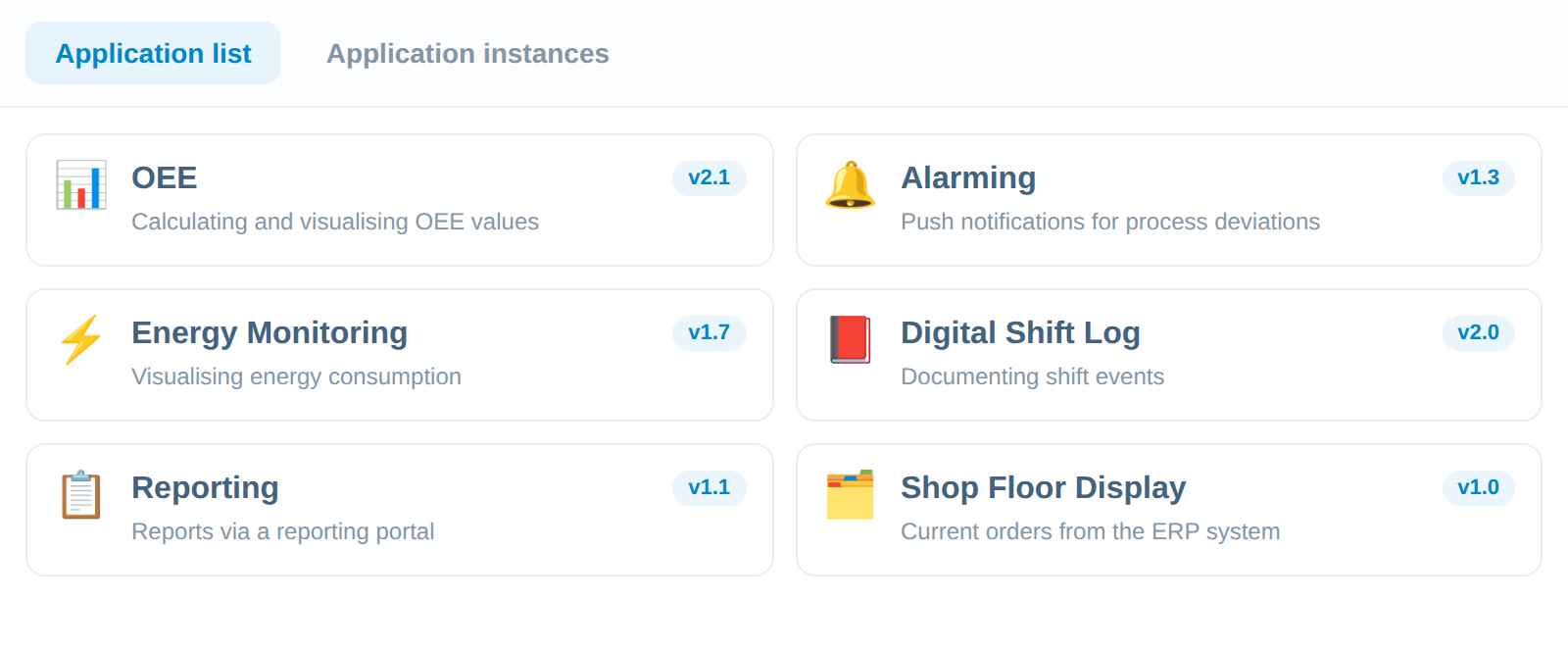
The manubes platform provides intuitive design tools that enable companies to develop their own production solutions quickly.
Combine data models, workflows and application interfaces into flexible applications and deploy them across the entire organisation: secure, scalable and built on a no-code basis.
manubes is tailored to the requirements of industrial manufacturing and provides a wide range of ready-made building blocks and connectivity options. Companies build their own apps for the shop floor, warehouse and maintenance without writing a line of code.
From idea to application in four steps
Every app on the no-code platform manubes is built with the same three visual tools. This keeps development short and traceable, from the need on the shop floor to the finished app.
Structure your data
In the Datamodel Designer, you define which data the application manages, for example orders, machines or shift events.
Design the interface
In the Page Designer, you drag dashboards, forms and controls onto the page.
Automate processes
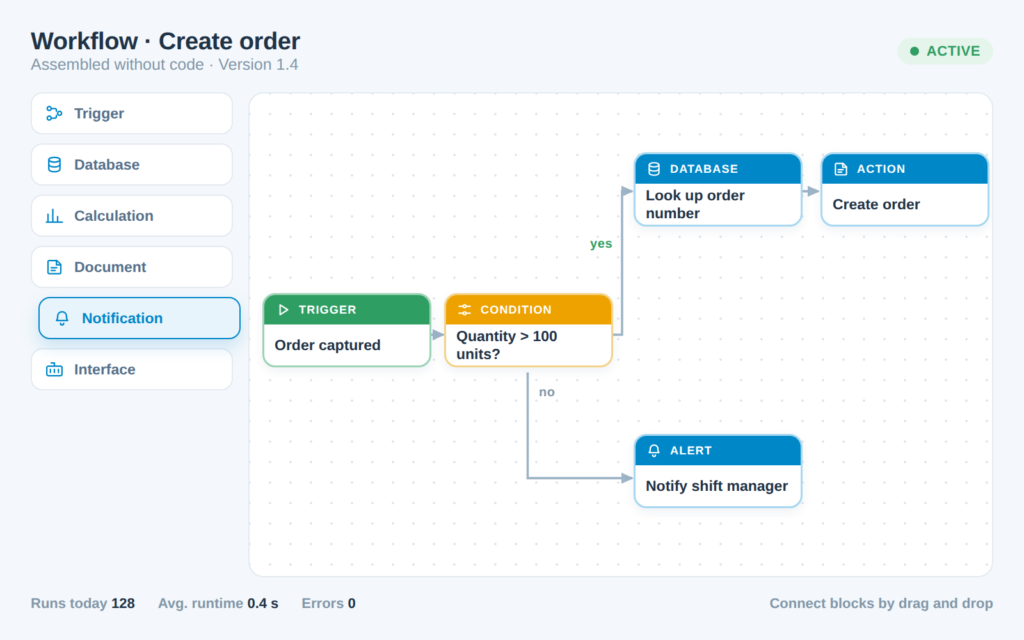
In the Workflow Designer, you connect triggers, conditions and actions, such as a data check after every scan or a notification when a fault occurs.
Test and release
You create a release, check it in the test environment and then release it for production.
Secure development process
Versioning and staging for operational reliability
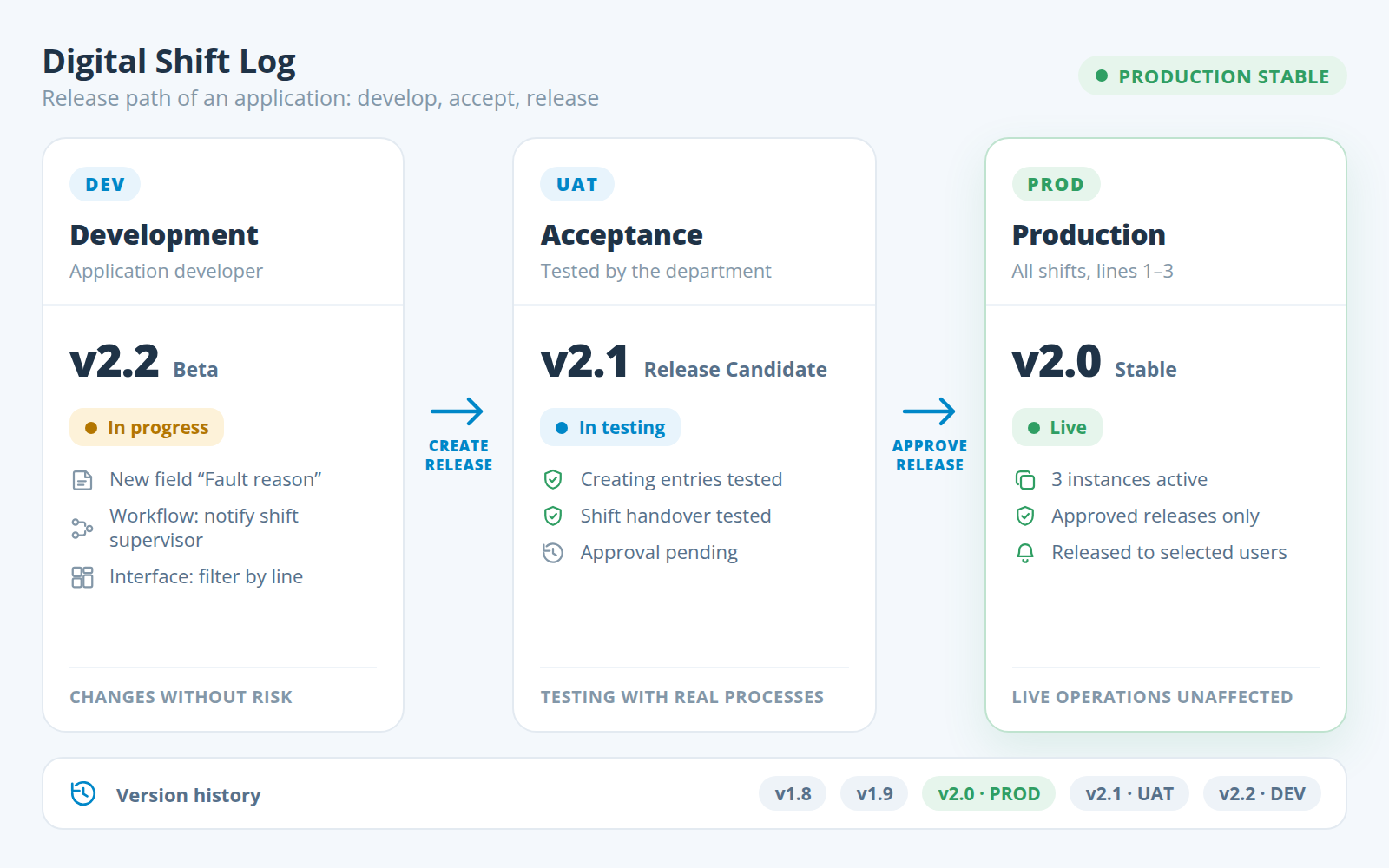
Separate development from live operations and test changes without putting ongoing production at risk.
manubes supports secure development and deployment processes with simple yet effective tools. Manage different versions of your applications through an intuitive interface and control releases across different environments and users.
Every change passes through three stages: it is built in development (DEV), the department tests it with real processes in acceptance (UAT), and only after approval does the release go into production (PROD). Each release is given a version number and a name, so changes remain traceable.
Intuitive system integration
Interfaces for seamless data integration
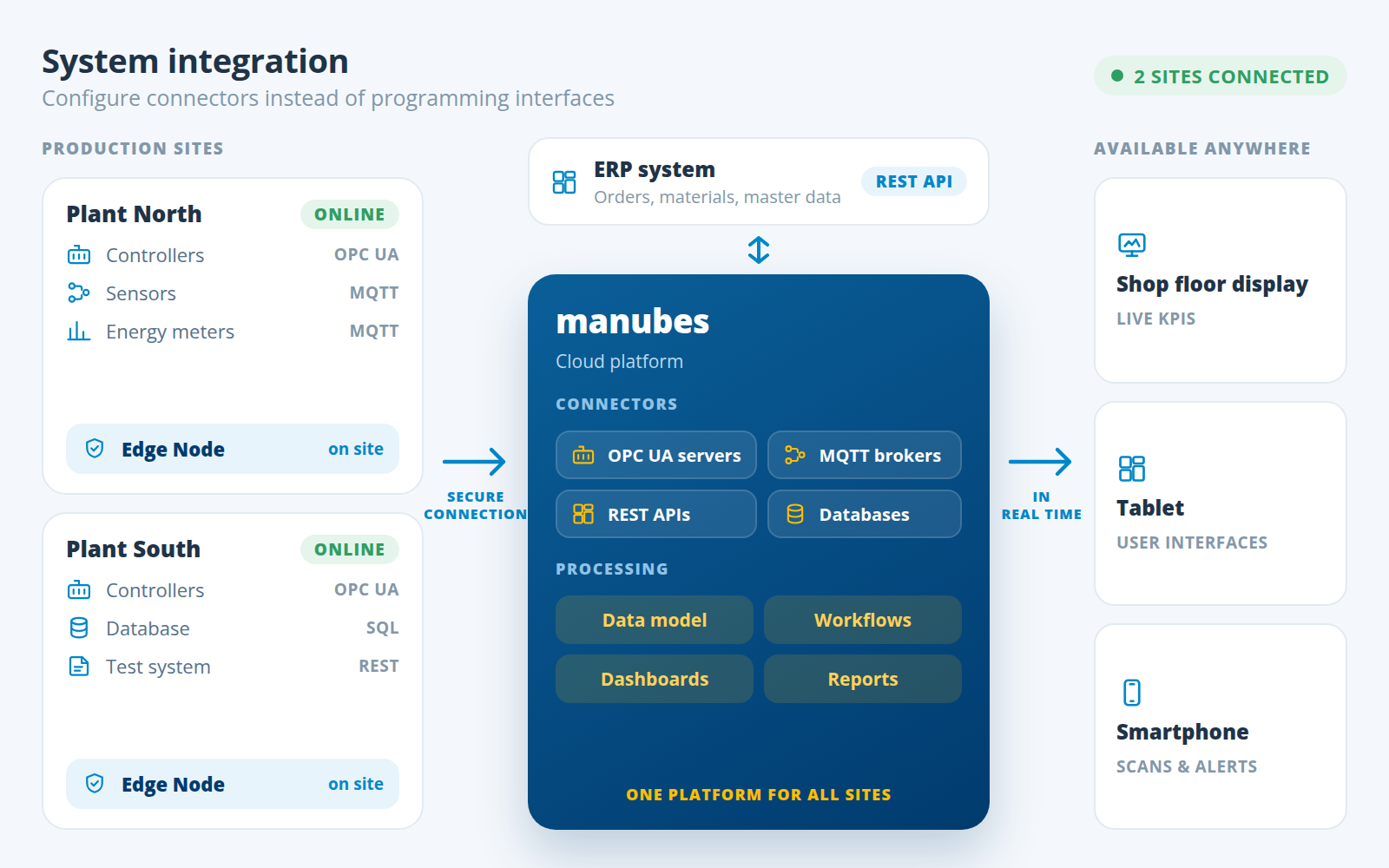
manubes provides intuitive connectors for OPC UA servers, MQTT brokers, REST APIs and database systems.
Integrate manubes with enterprise software such as ERP and deploy Edge Nodes at different production sites to connect local systems securely with manubes.
Link visualisations and workflows to your real-time data sources in just a few clicks.
Flexible deployment
Use anywhere and on any device
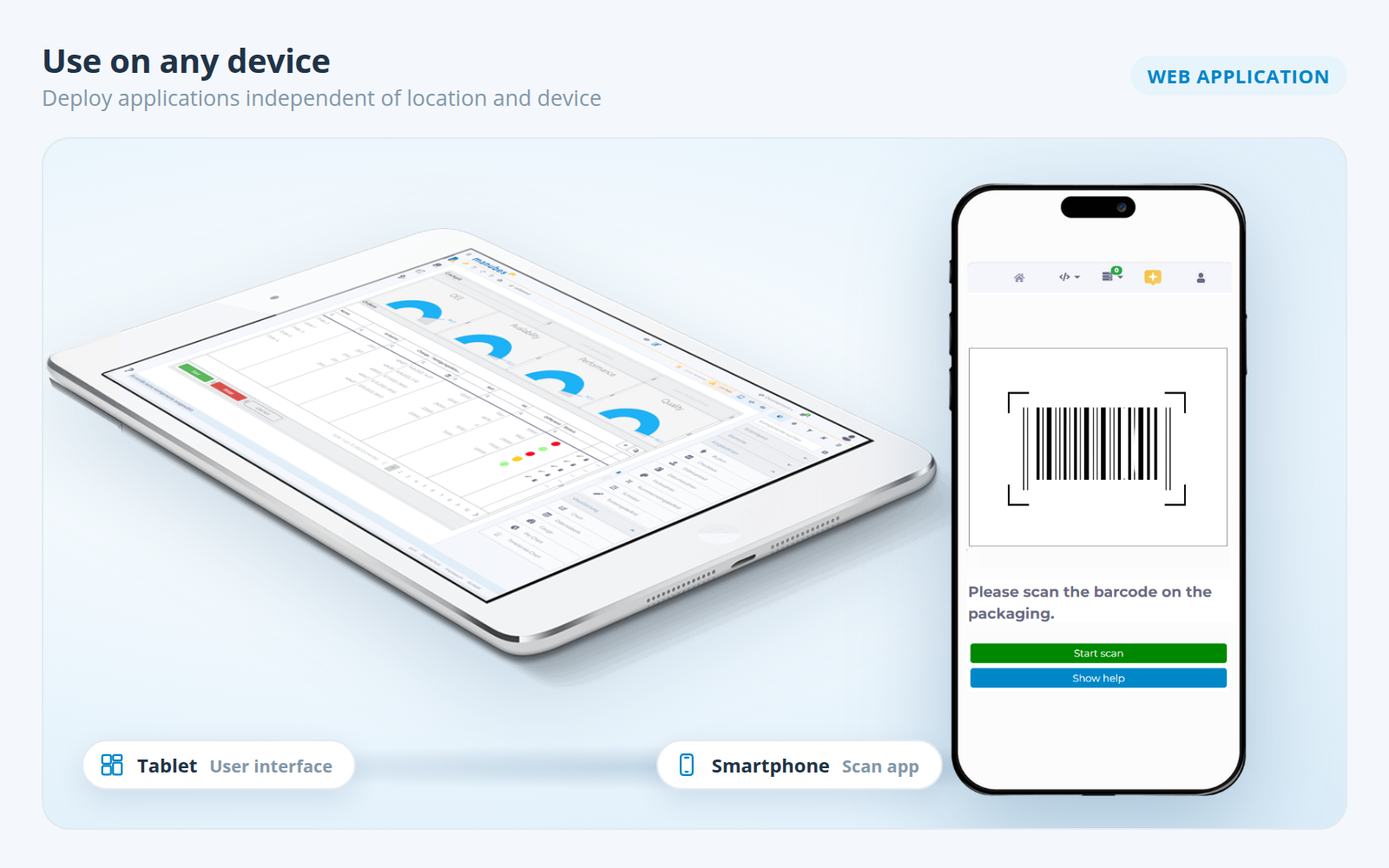
Deploy your applications independently of location and device. Whether real-time KPIs on shop floor displays or digital work instructions on mobile devices: with manubes, you build the right solution for every use case.
Ensure maximum transparency between the shop floor and headquarters by creating mobile production dashboards or interactive GUIs for ERP data.
An application built once can be used as a separate instance for further lines, equipment or sites.
Comparison
No-code or traditional custom development?
A software developer can programme a production application, or the people in the department can build it themselves on a no-code platform. The table shows the key differences.
| Criterion | Traditional custom development | No-code with manubes |
|---|---|---|
| Who develops? | Software developers, in-house or at a service provider | Specialists from production, maintenance or quality, with support from inray if required |
| Prerequisites | Programming skills and a dedicated development environment | No programming skills, visual designers in the browser |
| Changes | New requirement, new order, new deployment | Change made directly in the designer, released as a new version |
| Testing | A test environment has to be set up separately | Versioning and staging are part of the platform |
| System connectivity | Every interface is programmed individually | Ready-made connectors for OPC UA, MQTT, REST APIs and databases |
| Operation | Servers, updates and security are the company's responsibility | Cloud operation with the manubes security concept |
| Suitable for | Highly specialised logic without standard building blocks | Data capture, visualisation, reporting and processes in manufacturing |
In practice
Example applications with manubes
These examples show which applications are built with the manubes designers: from reports at the push of a button to scan apps for the shop floor.
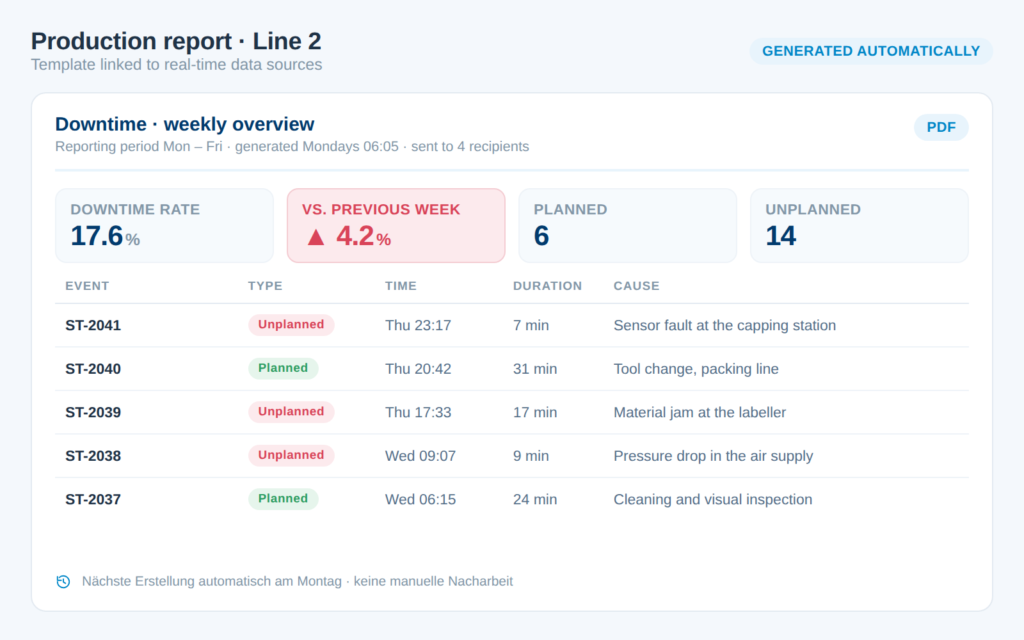
Automated reporting
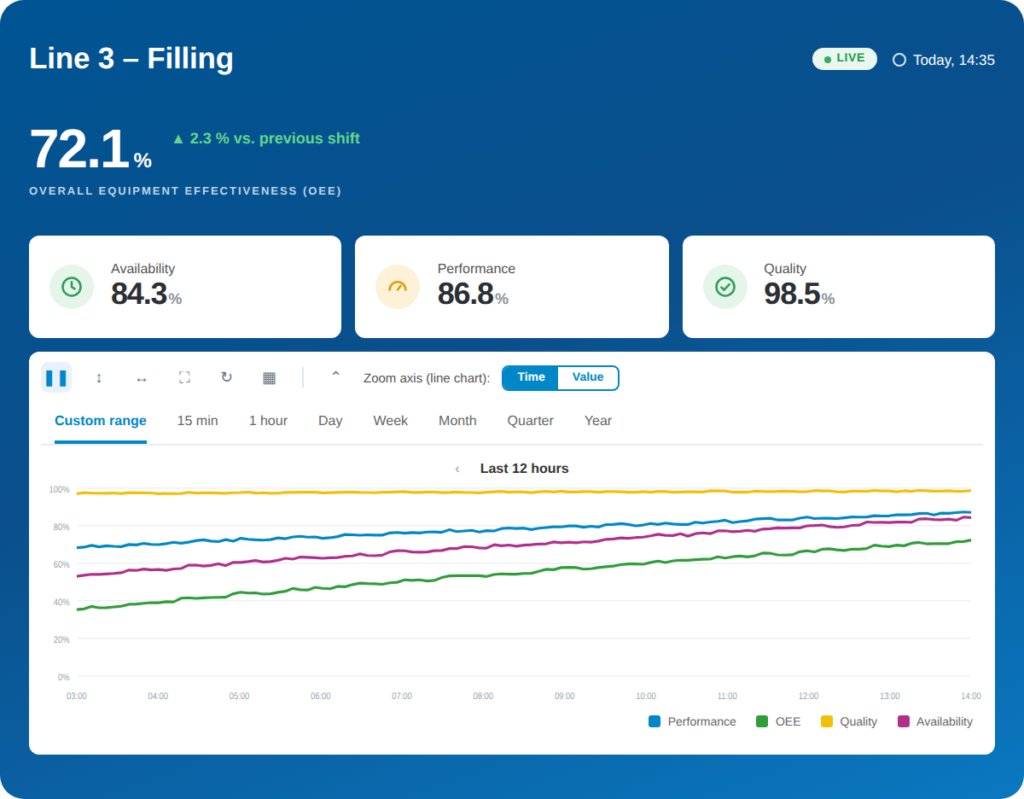
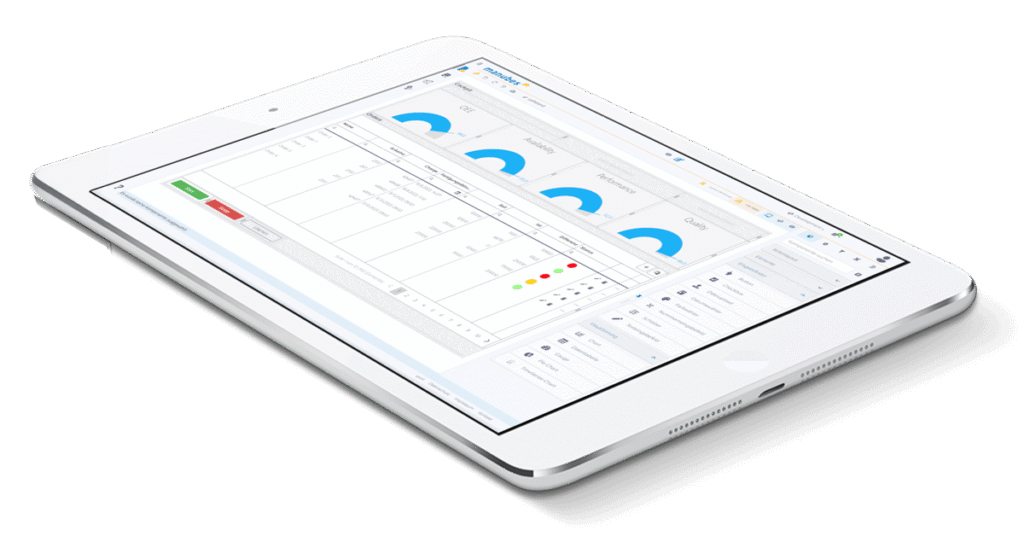
OEE visualisation
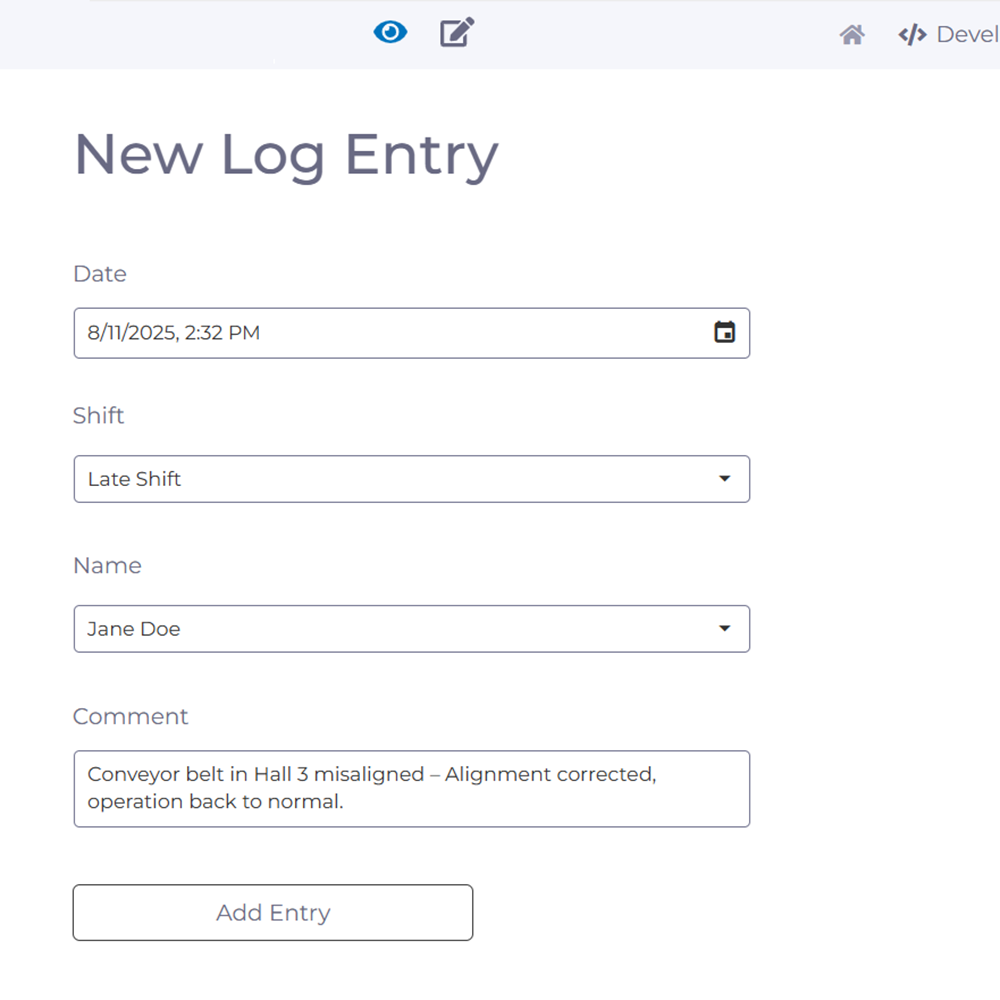
Digital shift log
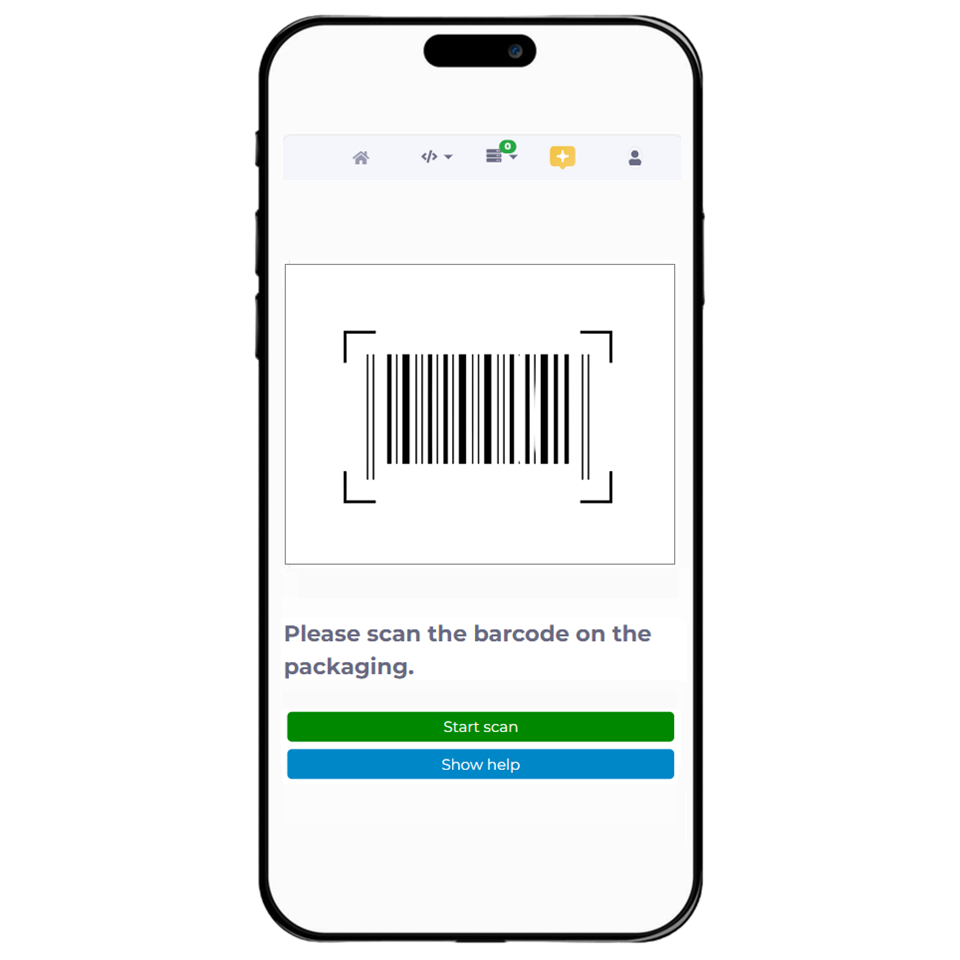
Material verification via scan
Mobile GUIs for SAP data
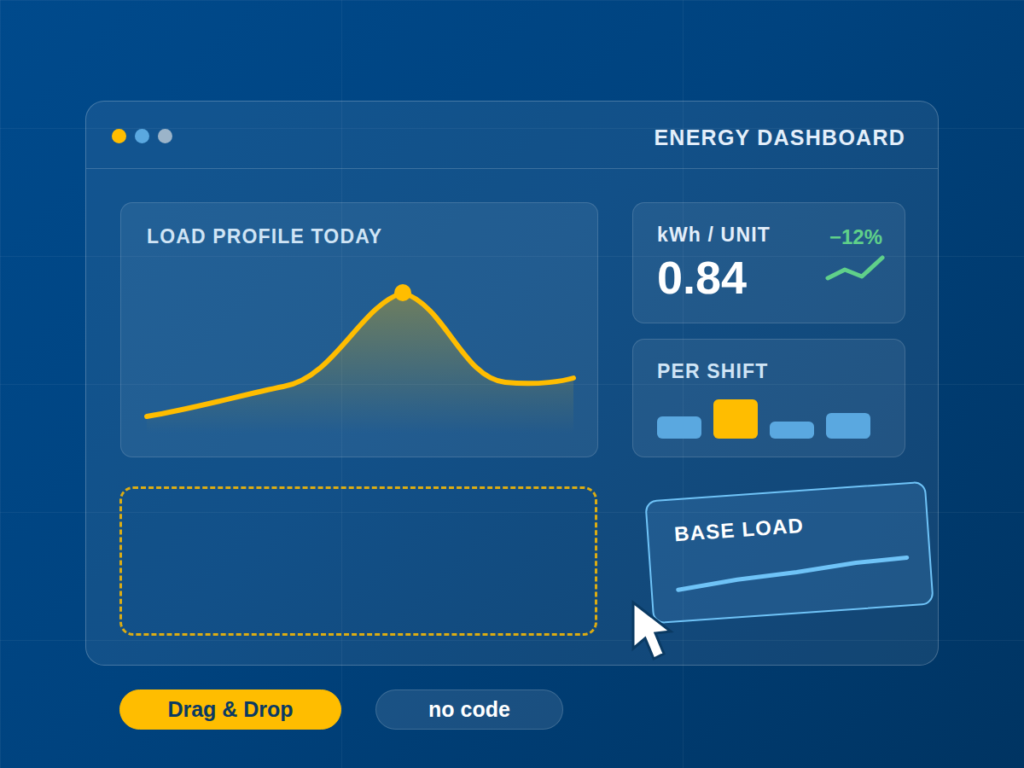
Energy monitoring
How to get started
Your path to your first application
Try it yourself or start with support: there is a suitable way in for everyone.
Try for free
Explore the features
Support
Proof of concept
FAQs on no-code application development
What is no-code application development?
No-code application development is the creation of software applications with visual tools instead of programming code. Users assemble data structures, processes and interfaces by drag and drop.
What is the difference between low-code and no-code app development?
A no-code platform works entirely without programming code. A low-code platform reduces the programming effort but still requires code for some functions, so it is aimed more at developers.
Is no-code the same as vibe coding?
No. With vibe coding, you describe an application in natural language and an AI writes programming code from it. That code then has to be checked, maintained and operated. With no-code, no code of your own is created: the application is assembled from ready-made building blocks on a platform that also handles operation, updates and versioning. For applications in live production, this is the more predictable approach.
How does no-code work?
No-code works with visual building blocks instead of programming code. The platform provides ready-made elements for data, processes and interfaces that users combine and configure by drag and drop. The platform generates and runs the code behind them itself.
What is a no-code application?
A no-code application is an application built on a no-code platform without programming. In manufacturing, examples include a digital shift log, a scan app for material verification or an OEE dashboard for the shop floor display.
Which applications can be developed for manufacturing without programming?
Typical examples are production dashboards, OEE visualisation, automated reporting, digital shift logs, material verification via barcode scan, digital work instructions and mobile interfaces for ERP data. All of these applications can be built with the no-code platform manubes.
Can I develop an app without coding skills?
Yes. With manubes, you build apps without coding in visual designers for data models, workflows and interfaces. You can try them out with a free test account, and our support team helps you along the way.
Who develops no-code applications in manufacturing?
Usually the specialists from production, maintenance or quality assurance develop the applications themselves. They are also known as citizen developers. IT keeps track of versions and releases. For larger projects, the inray team provides support, for example as part of a proof of concept.
How do I test changes without disrupting ongoing operations?
manubes separates development from live operations. Every change is created as a versioned release, tested in staging and only then released for production and selected users.
Which systems can be connected to a no-code application?
manubes connects OPC UA servers, MQTT brokers, REST APIs and database systems such as Microsoft SQL Server or MySQL. ERP systems such as SAP can also be integrated. Local systems are connected securely to the cloud via Edge Nodes.
Further information

Proof of concept: your individual project with manubes
We support you in implementing your individual solution with manubes. As part of a proof of concept, you get to know manubes in practice and implement your desired application in close collaboration with our team.
Get in touch
