
Implementation and Use Case
Digital Checklists
for Manufacturing
Open tasks via QR code at the machine, complete them on your smartphone and document every step without gaps.
Definition
What are digital checklists?
Digital checklists are inspection and task lists that employees work through on a smartphone, tablet or PC. Each completed task is saved with the date, the employee’s name and a comment.
In manufacturing, digital checklists replace paper forms for recurring tasks such as cleaning, maintenance, changeovers or quality inspections. Many of these tasks are subject to documentation requirements, for example from hygiene regulations, health and safety rules or quality management. Digital checklists meet these requirements as a matter of course: Who completed which task and when is available centrally straight away. Nobody has to collect, type up or file paper forms.
With manubes, you create digital checklists as an application of your own without programming. The application runs directly in the browser, so there is no app to install. Because the checklists run on the same platform as your dashboards, shift log and machine data, their information can be used there without detours.
Comparison
Paper checklist or digital checklist: What is the difference?
| Criterion | Paper checklist | Digital checklist with manubes |
|---|---|---|
| Finding the right list | Search the notice board or folder | Current tasks for your own area at a glance, optionally via QR code at the machine |
| Completing a task | Tick and sign | Complete with one click; date and name are saved |
| Evidence | Handwritten note | Comment and photo attached to the task |
| Overview | Only on site at the notice board | Open and overdue checklists for all areas in one place |
| Forgotten tasks | Only noticed on the next walk-round | Push or email notification for overdue checklists |
| Evidence for audits | Search through folders | Every task with date, employee and comment on record |
| Changes | Reprint and redistribute the form | Edit tasks centrally, effective immediately |
| Analysis | Only after typing up | Status shown directly in dashboards and shopfloor boards |
Practical Example
Use case: Cleaning audit with manubes
In many manufacturing plants, equipment and areas have to be cleaned according to fixed schedules, for example in the food, beverage or pharmaceutical industries. For every audit, it must be possible to prove that each cleaning task was carried out. The following example shows how a cleaning checklist is set up in manubes.
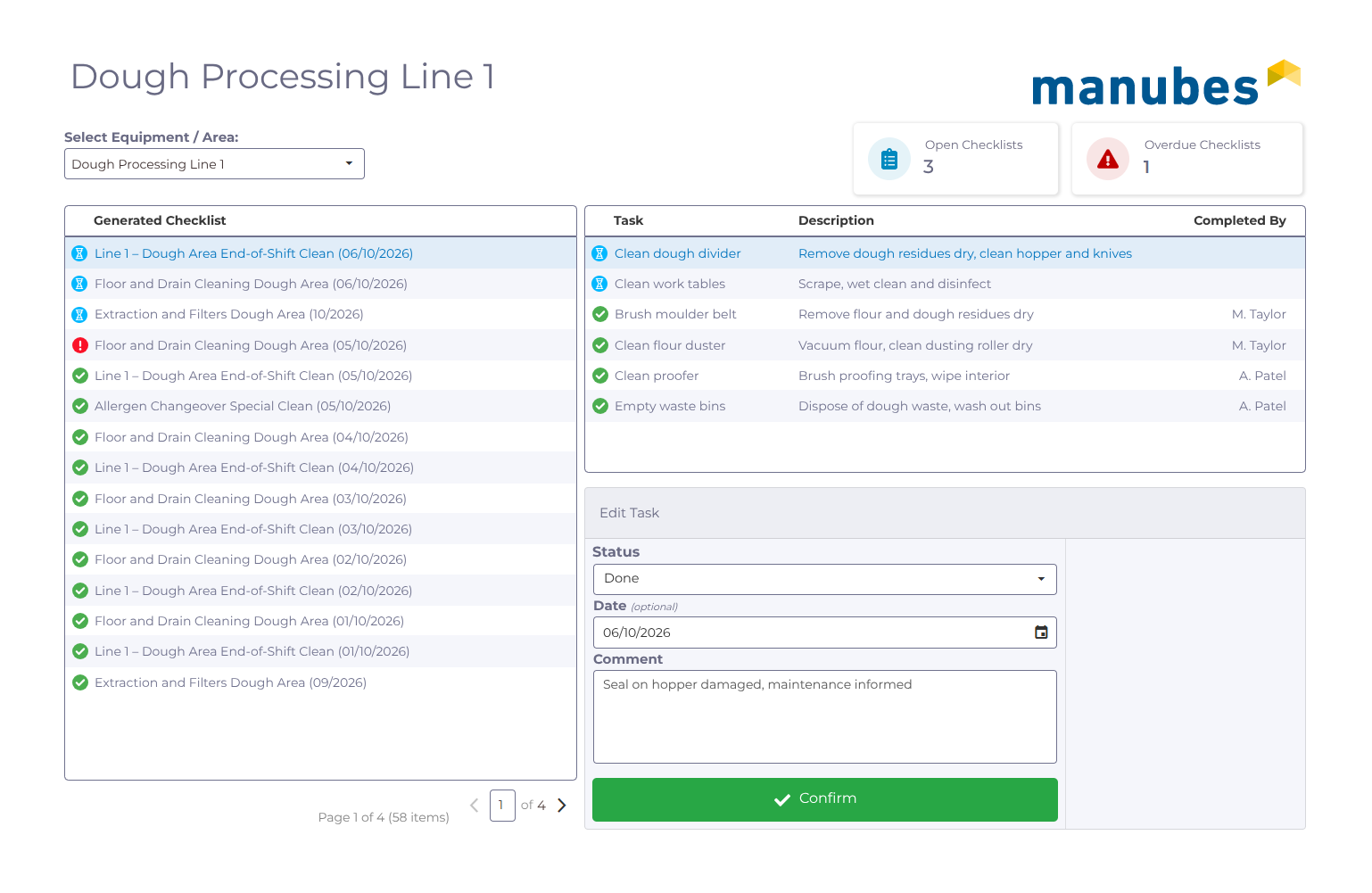
All areas, all checklists at a glance
The overview shows the current, upcoming and past checklists for each area. You switch between areas with a single click. New checklists can be created automatically according to a schedule or manually.
Each checklist contains the cleaning tasks for its area. Once all tasks are done, the checklist is automatically marked as completed.
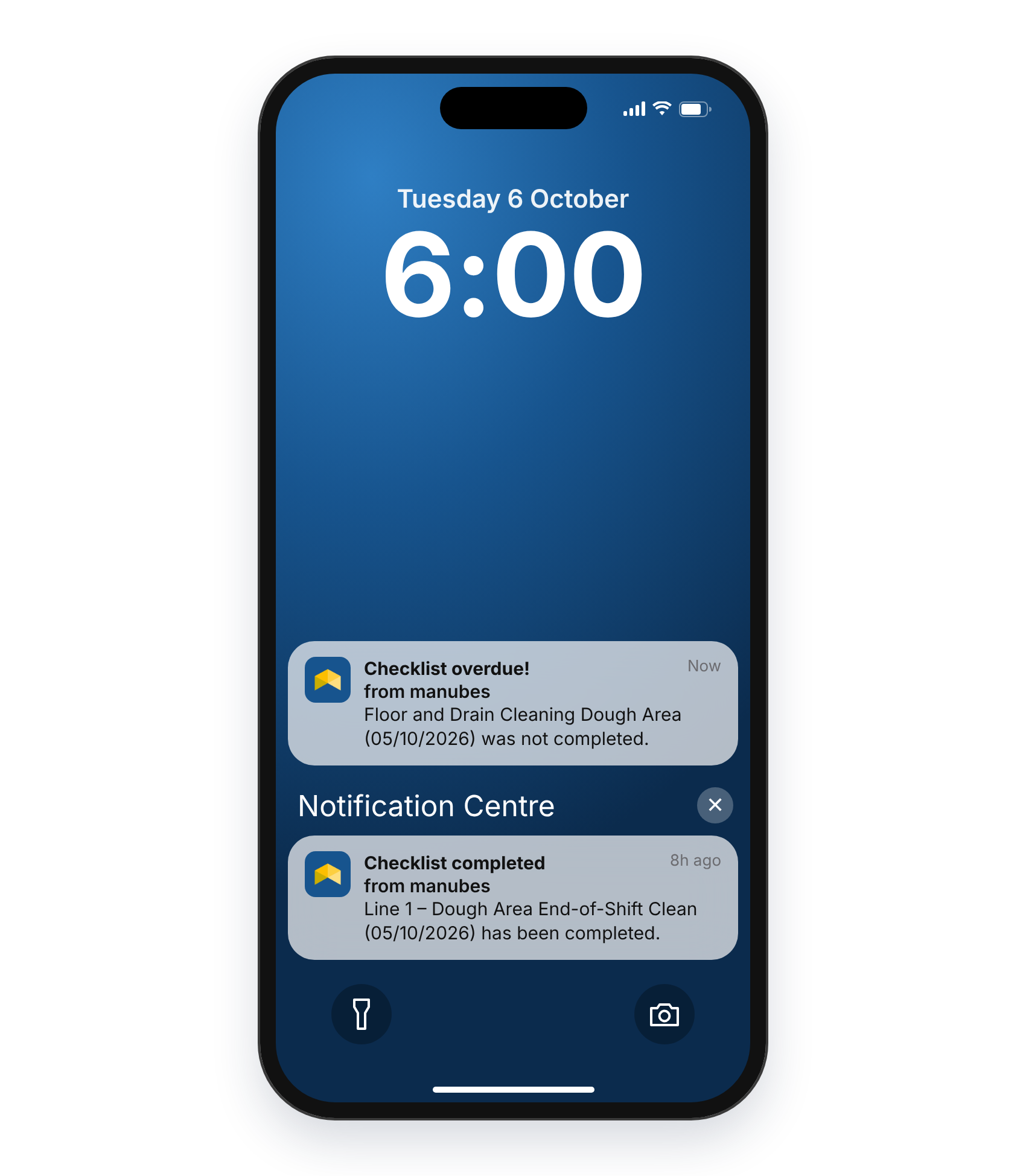
Spot open and overdue checklists immediately
Shift supervisors and quality management can see at a glance which checklists are still open and which are overdue. If a checklist is overdue, manubes can notify the people responsible by push notification or email.
That way, a missed cleaning task is noticed before the audit finds it. Find out more about mobile notifications for manufacturing.
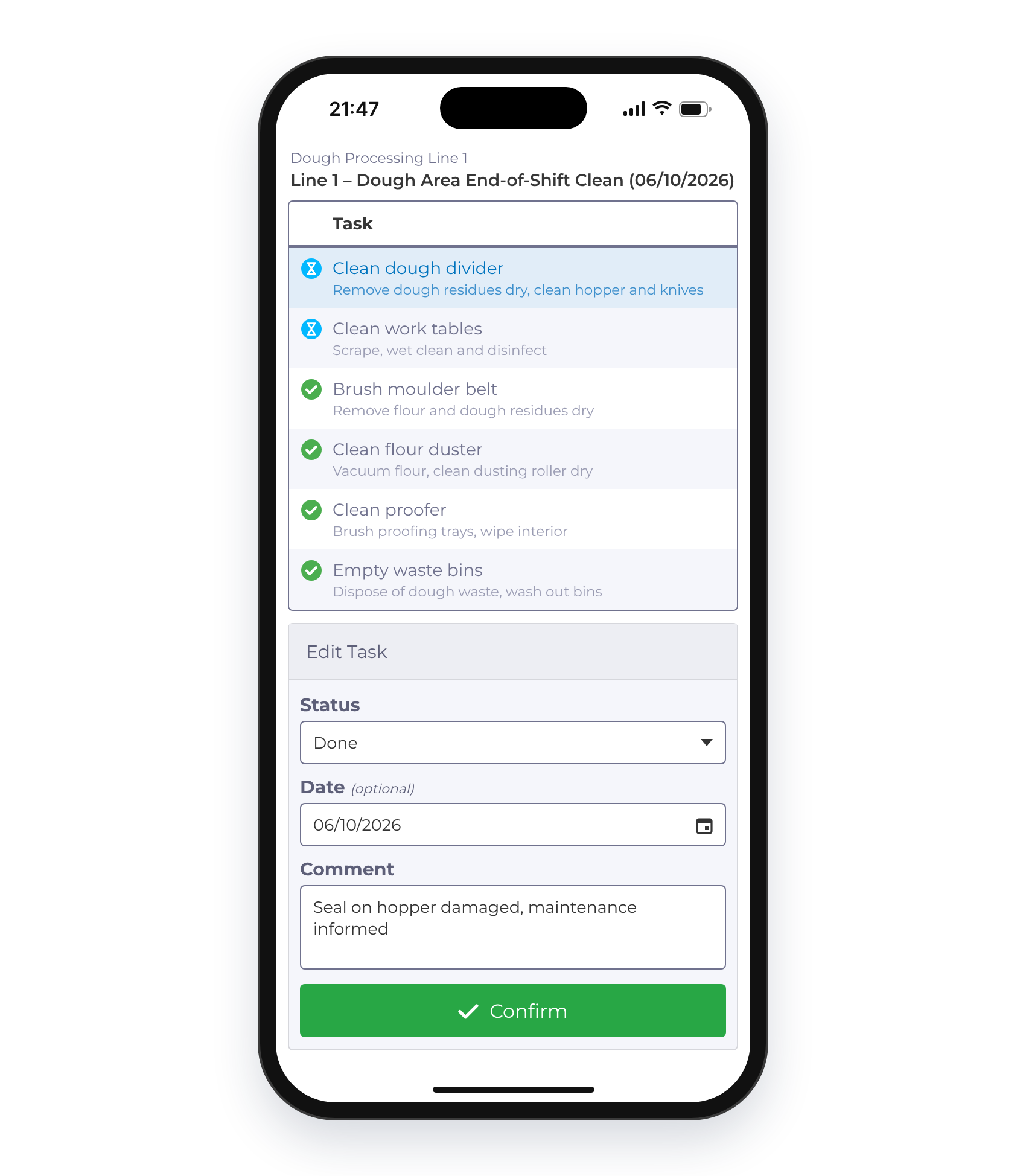
Complete tasks on the spot
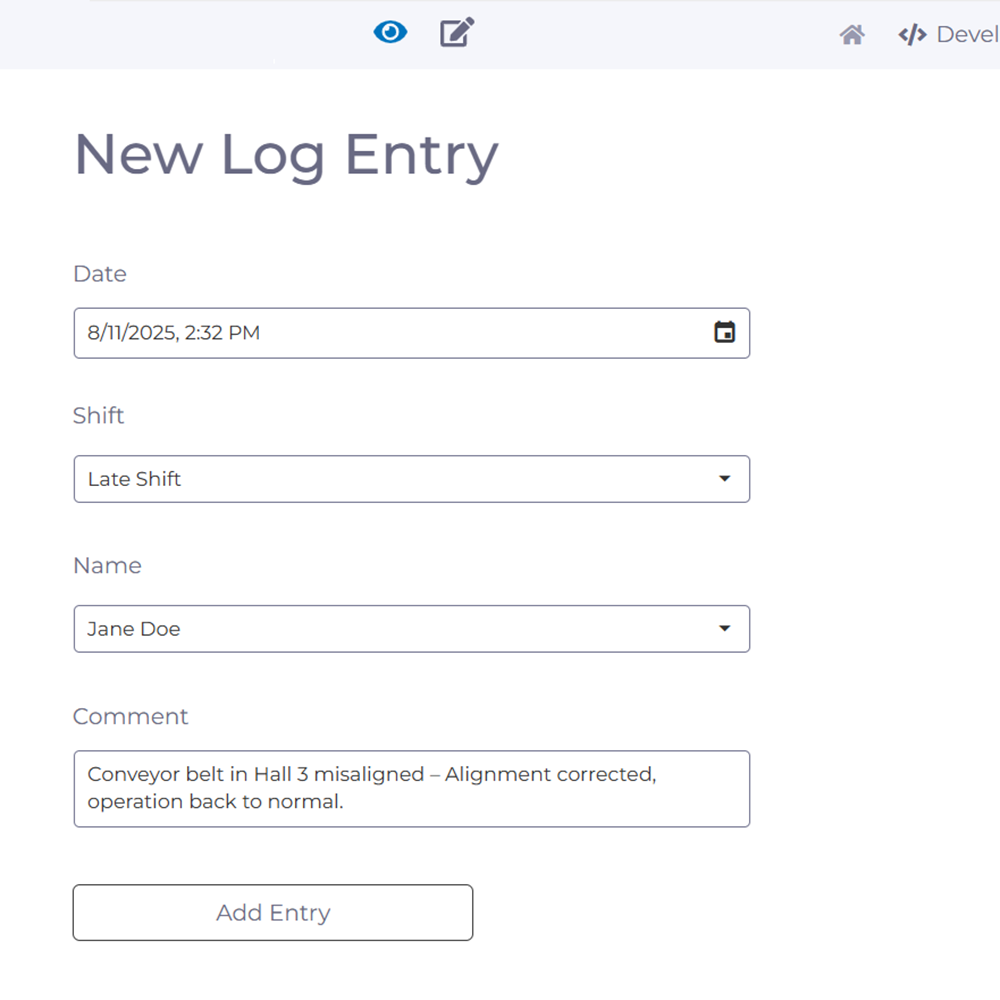
Employees open a view of the current tasks in their areas on a smartphone, tablet or PC and mark completed tasks as done. The date and name are saved automatically, with a comment and photo if required, for example “Seal dirty, maintenance informed”.
Each task can be linked to multimedia instructions, for example with images showing the correct procedure or hazard symbols that point out risks. Find out more about digital work instructions.
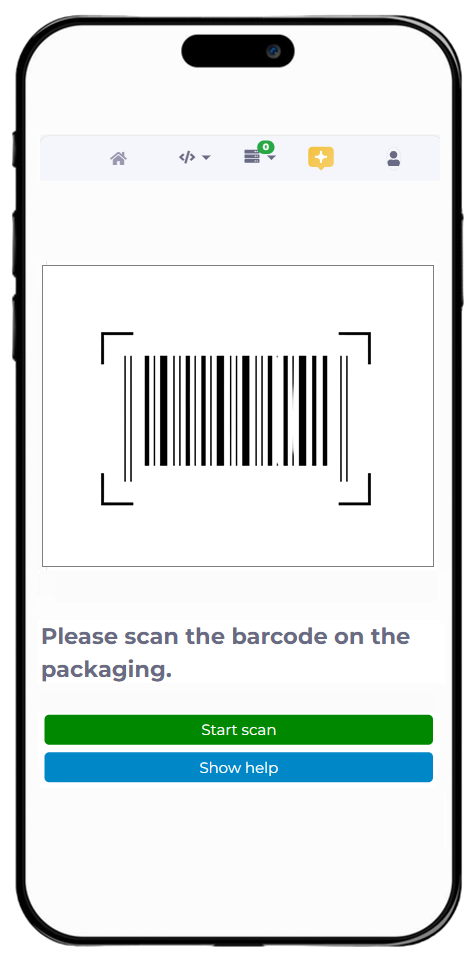
Optionally, QR codes can be attached to machines or areas. Scanning one opens the relevant tasks directly.
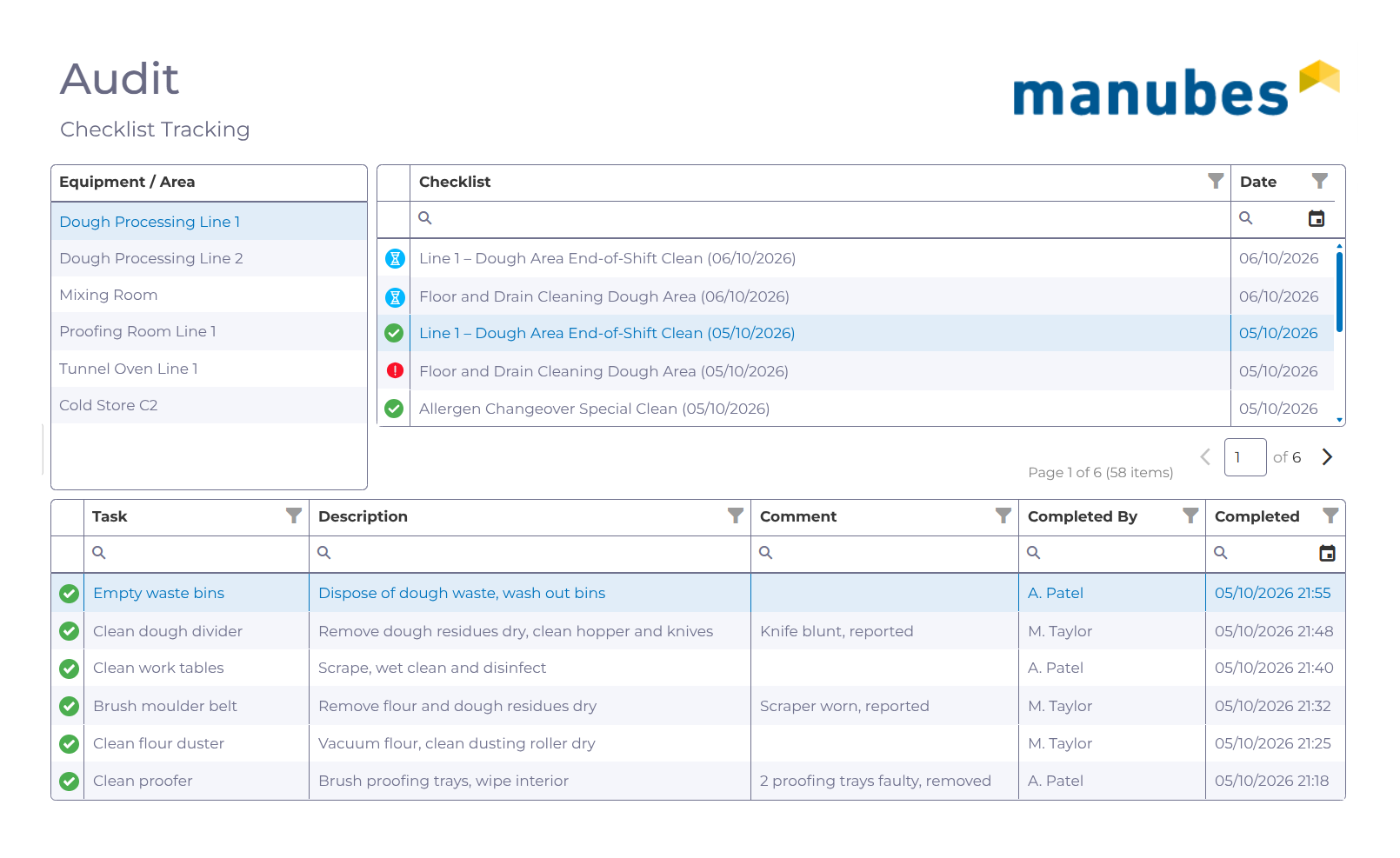
Every task is traceable
For each completed task, the date, employee, comment and, where applicable, a photo are stored. This makes cleaning traceable not just per checklist but per individual task. When an audit comes round, the evidence is available in a few clicks.
Information from the checklists can also be integrated into manufacturing dashboards, shopfloor boards and other visualisations. For example, the team can see on the factory floor monitor how many cleaning tasks are still open today.
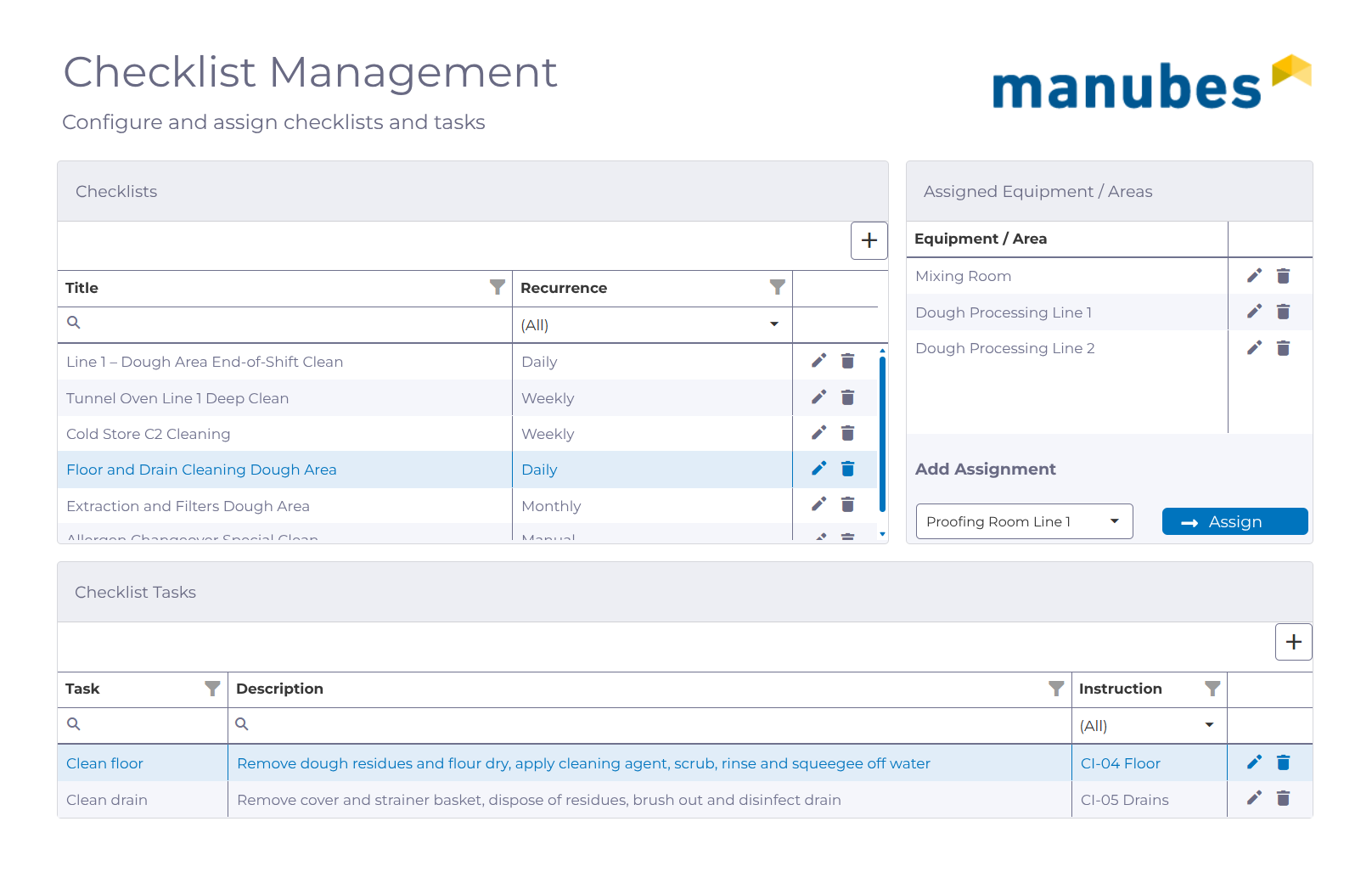
Create and adapt checklists in just a few steps
Authorised users create new checklists in a clear administration view. They give the checklist a title, choose how often it recurs (daily, weekly, monthly or manually), add the tasks and assign the checklist to the relevant equipment and areas. Each task can be linked to an instruction, for example covering cleaning agents and hazard warnings.
Existing checklists are just as quick to adapt. If the cleaning schedule changes or a new area is added, you add or remove tasks and adjust the assignments. The changes apply to all employees immediately.
Benefits of digital checklists in manufacturing
Complete evidence
Every task is documented with date, employee, comment and photo. This makes internal and external audits easier.
Nothing gets forgotten
Open and overdue checklists are always visible. If a checklist is overdue, the people responsible receive a push notification or email.
Mobile on the factory floor
Employees open their tasks in the browser on a smartphone or tablet, directly at the machine via QR code if required. No separate app is needed.
Adaptable without programming
You change tasks, areas and instructions yourself, and customise the interface with the Page Designer.
Starting Point
The manubes checklist app: A template for your use case
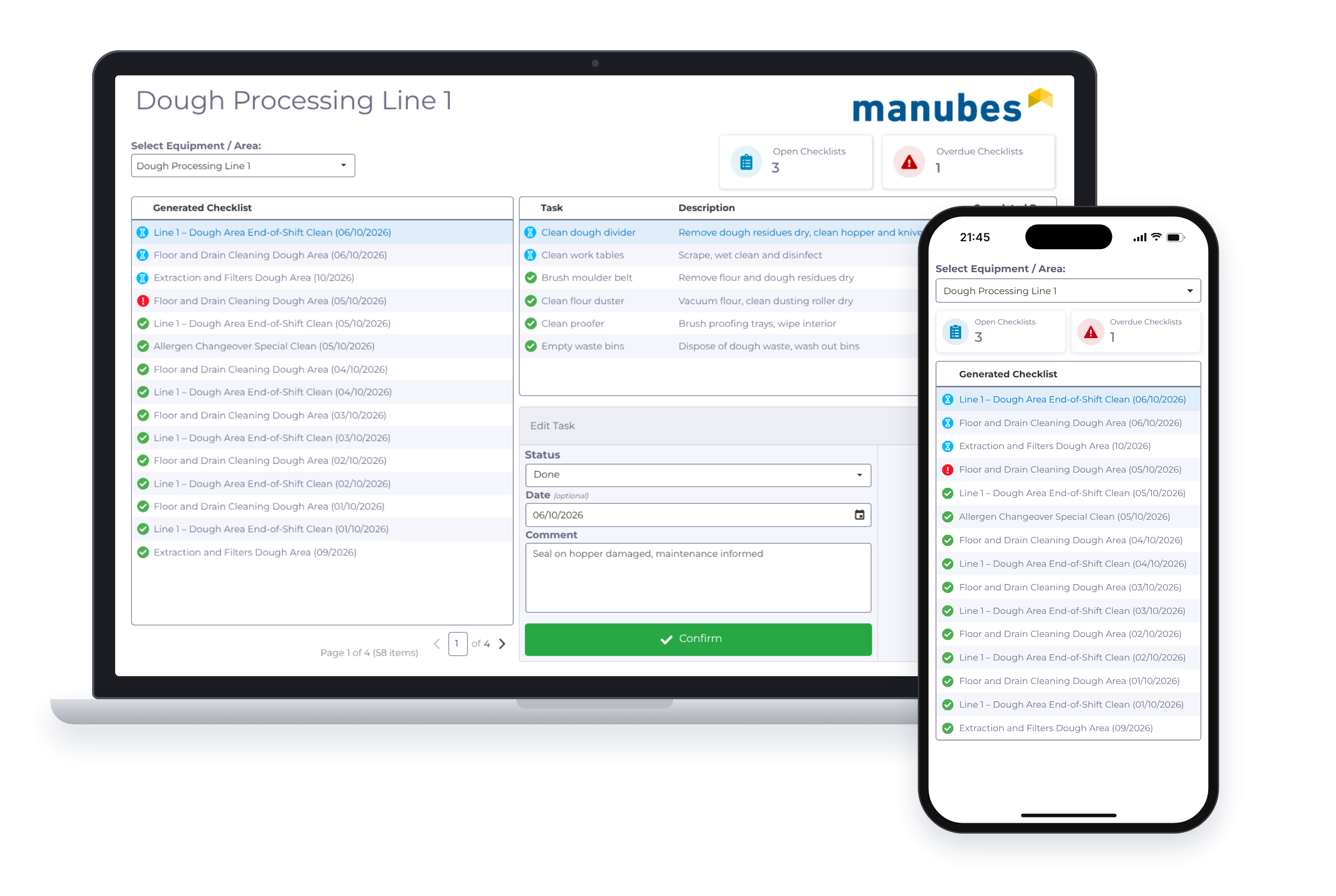
To get you started, manubes includes a ready-made checklist app. It demonstrates all the functions described above in a complete example: Overview, employee view, instructions, notifications and administration.
Every production operation has its own areas, intervals and inspection steps. That is why we work with you to adapt the app to your use case, from cleaning audits to maintenance rounds. You can then develop the application further yourself.
Applications
Where digital checklists help in manufacturing
The principle behind the cleaning audit can be applied to any recurring inspection. The checklist app is adapted to the process in question.
Cleaning and hygiene
Work through cleaning schedules for each machine and area with full evidence.
- Cleaning audit
- Hygiene schedule
- Line cleaning
Maintenance
Plan routine maintenance tasks on machines and document them with photos.
- Visual inspection
- Lubrication schedule
- Filter change
Quality inspection
Specify inspection steps and record results or deviations with comments.
- First-article inspection
- Line clearance
- Inspection record
Changeover and start-up
Make sure no step is missed during changeovers or start-ups.
- Changeover checklist
- Start-up check
- Shift handover
Frequently asked questions about digital checklists
What are digital checklists?
Digital checklists are inspection and task lists that are worked through on a smartphone, tablet or PC. Each completed task is saved with the date, the employee's name and an optional comment.
How do I create digital checklists?
In manubes, authorised users create checklists in an administration view. They add tasks, assign equipment and areas and link tasks to instructions, for example with images or hazard symbols. New checklists can then be created automatically according to a schedule or manually.
Do I need a separate app for digital checklists with manubes?
No. The manubes checklist application runs in the browser. Employees use it on a smartphone, tablet or PC without installing an app.
How do QR codes work with digital checklists?
QR codes are optional. They are attached to machines or areas, and scanning one opens the tasks for that machine directly in manubes.
How do digital checklists help with a cleaning audit?
In a cleaning audit, you must be able to prove that every cleaning task was carried out. Digital checklists in manubes store the date, employee, comment and, if required, a photo for each task. The evidence is complete and available immediately.
What happens if a checklist is overdue?
Overdue checklists are flagged in the overview. In addition, manubes can notify the people responsible by push notification or email.
Can checklists be displayed in dashboards?
Yes. Information from the checklists, such as open or overdue tasks per area, can be integrated into dashboards, shopfloor boards and other visualisations in manubes.
Is there a ready-made checklist app in manubes?
Yes. A ready-made checklist app demonstrates how it works using an example. For productive use, it is adapted to the areas, tasks and intervals of the company in question.
Further information
Digitise your checklists with manubes
We will show you the checklist app and discuss how it fits your processes.
Request a product demo
