
Mobile Access to Controller Data
View PLC Data
on Your Phone
Real-time PLC values on your smartphone – whether on the factory floor, on the move or working from home. No dedicated app and no VPN access to the plant network.
Definition
What does “viewing PLC data on mobile” mean?
The PLC (programmable logic controller) holds the current state of a machine or piece of equipment, including operating states, counters, setpoints and fault messages. Traditionally, these values are visible on the HMI panel right at the machine.
“Viewing on mobile” means that the same values are also available as a dashboard in the web browser on your smartphone. That applies whether you are standing in front of the equipment, walking through another hall or checking the status from home.
Why It Matters Day to Day
Not everyone sits at the control room PC
Shift supervisors move between several halls. Maintenance staff on call want to assess a fault while still on their way to the machine. Plant management wants to check the status at the weekend without driving to the plant.
In all these cases, nobody is short of knowledge – only of access at the right moment. Mobile access to PLC data via manubes closes exactly this gap.
Connect PLC values automatically
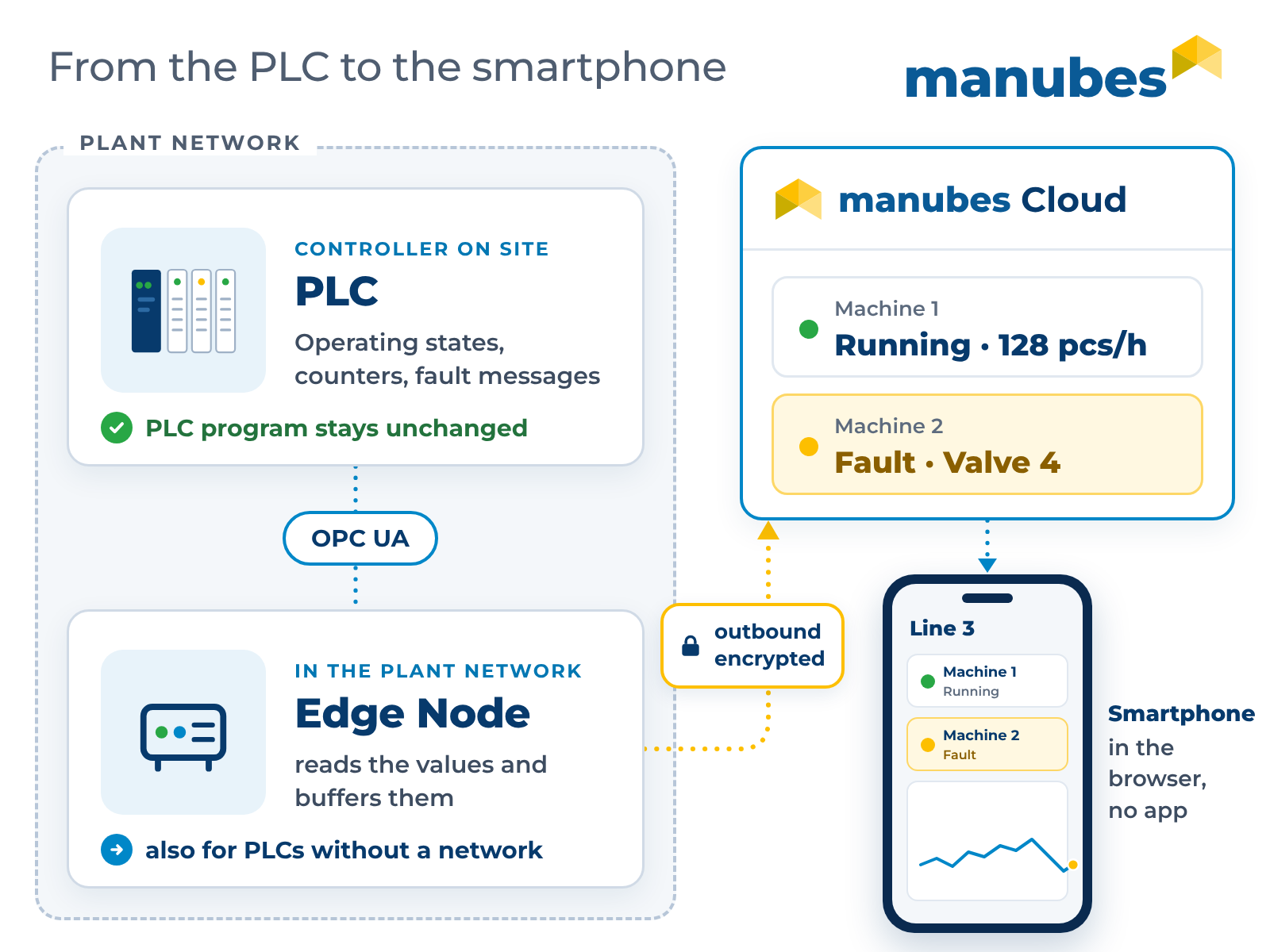
manubes connects directly to the controller via OPC UA or REST. The PLC program does not need to be changed – the values are read, not written.
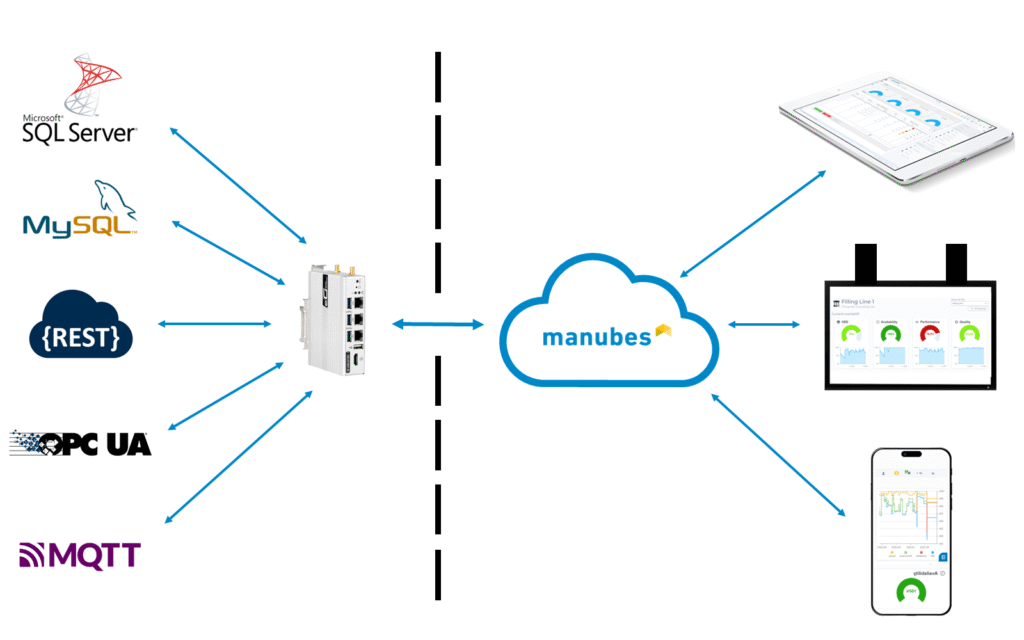
Controllers without their own network connection are made accessible by an edge device. How the connection works in detail is explained on the page about machine data acquisition.
One dashboard, every device
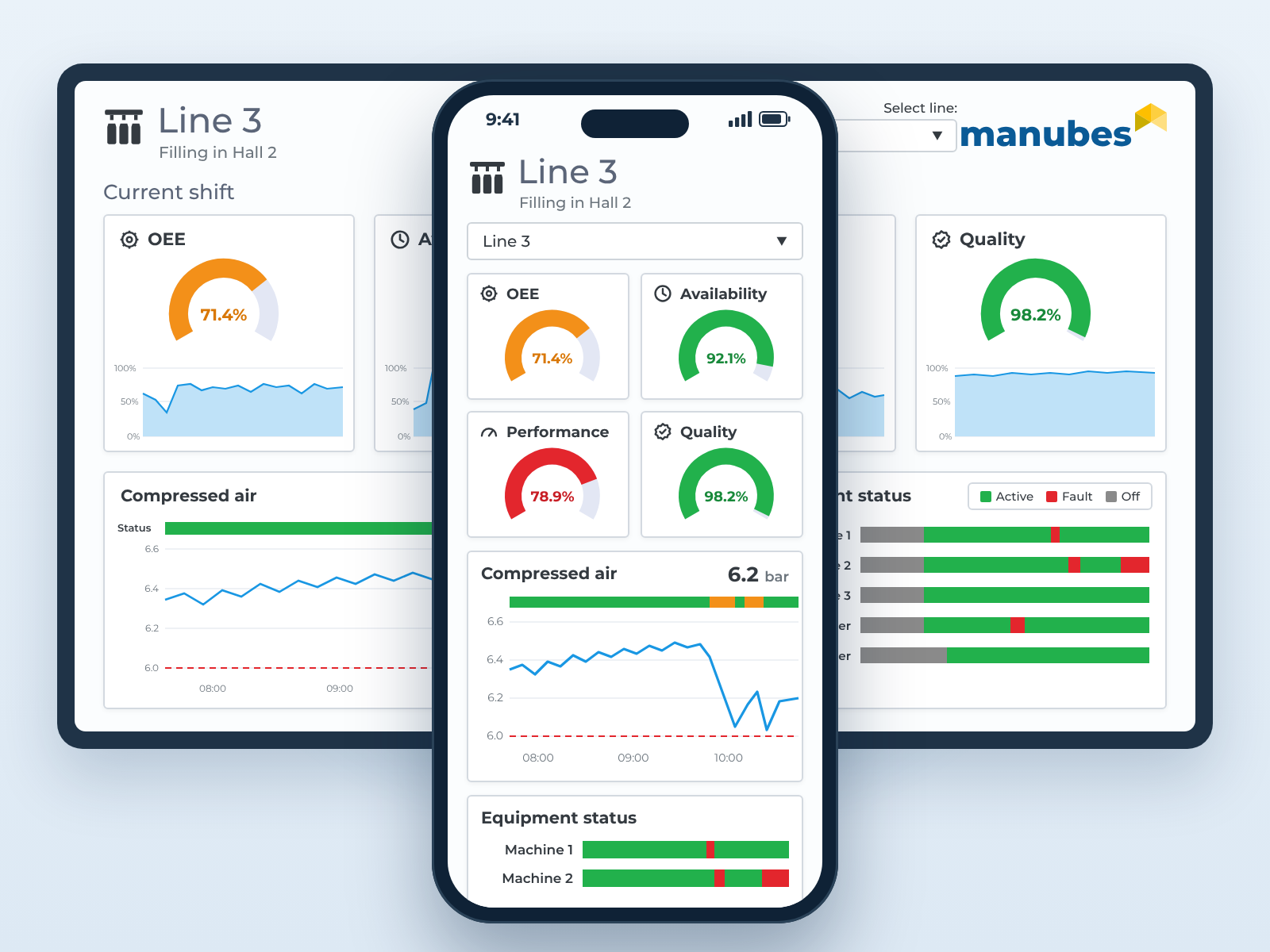
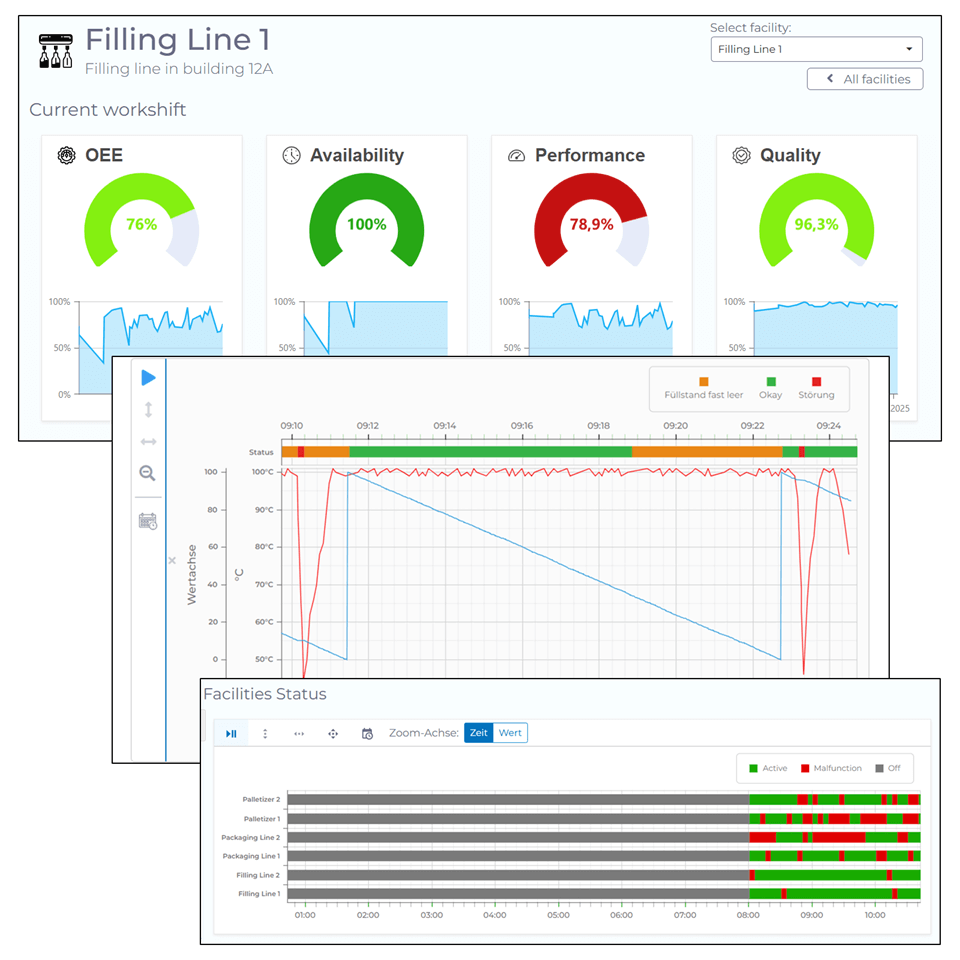
Dashboards created with the manubes Page Designer are responsive: The same dashboard that runs on the control room monitor adapts automatically to the smartphone. There is no separate mobile version to maintain and no additional app to install.
You open it in the normal mobile web browser, protected by the usual manubes login. You can find out more about building custom dashboards here: Manufacturing dashboards with manubes.
From view to notification
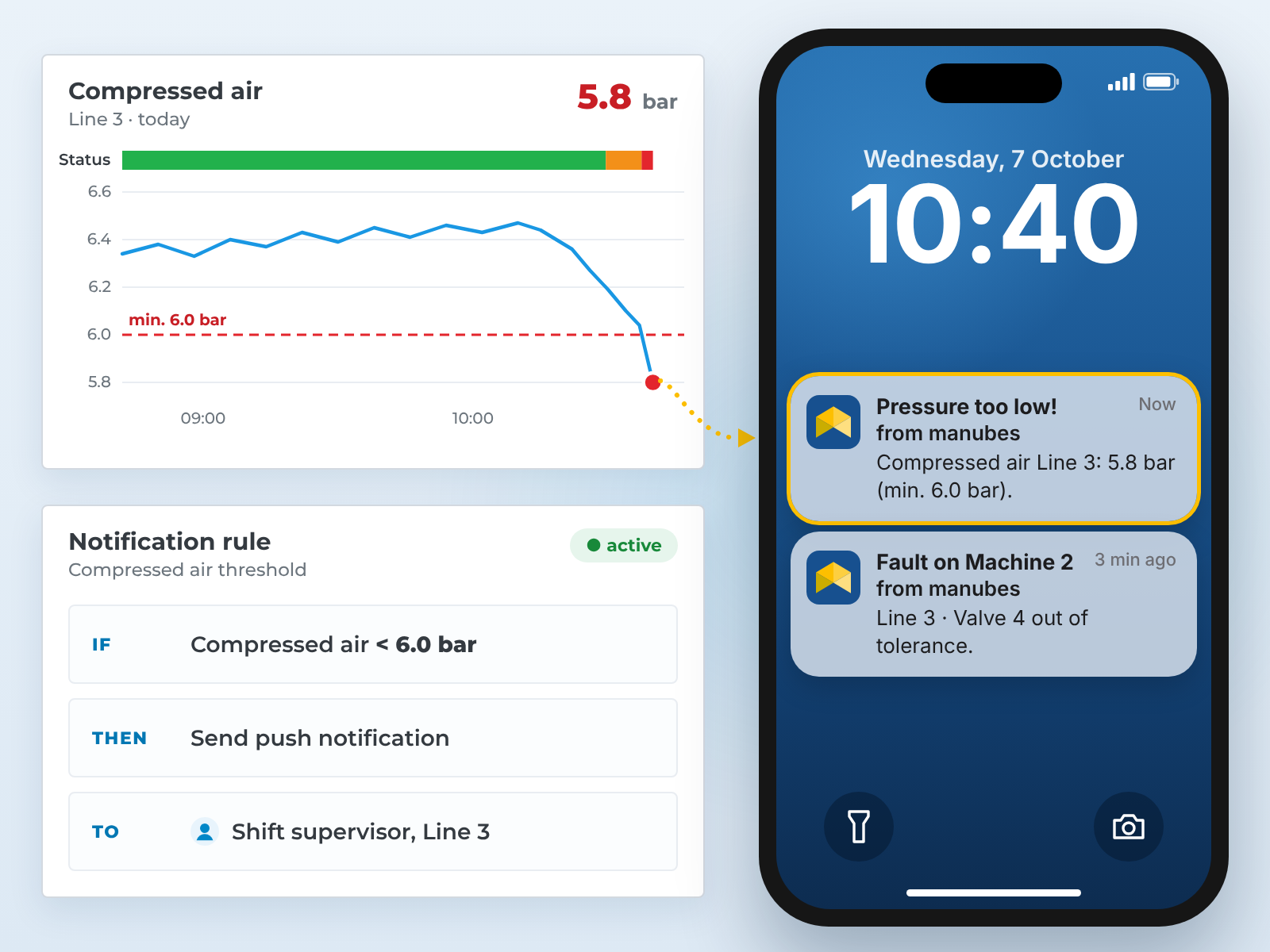
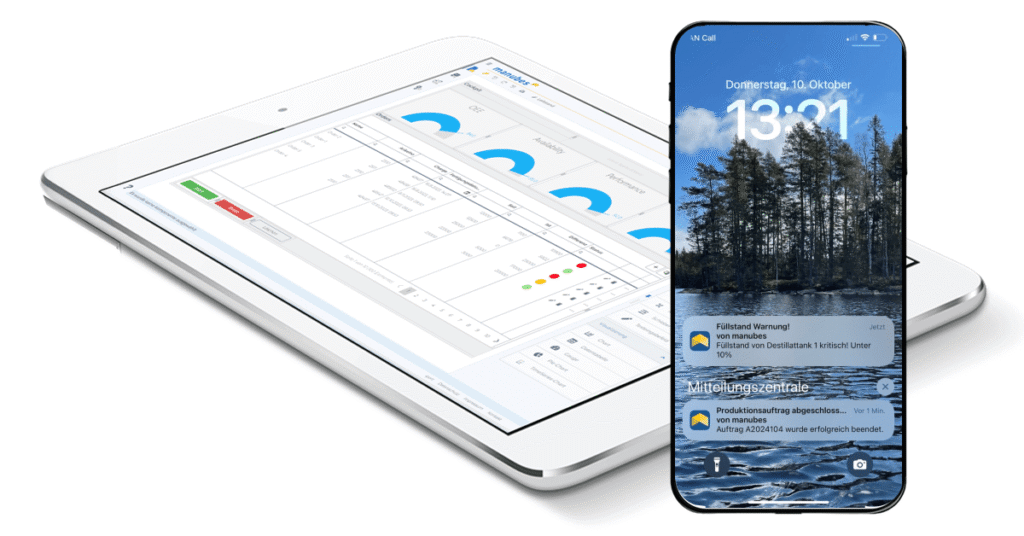
If you don’t want to keep watching a dashboard, you don’t have to: Threshold violations and faults are delivered as mobile push notifications, straight to the smartphone of the person responsible.
This turns a simple view into an active alert path. You can find details here: Mobile notifications for manufacturing.
Benefits at a Glance
What makes mobile access with manubes different
Runs in the browser
Cloud instead of a plant network tunnel
Everyone sees only their own data
View on mobile, intervene on site
Security
Security for mobile access
Mobile access can deliberately be implemented as read access: Viewing values and acknowledging alerts, yes – changing setpoints or switching actuators, no. Such interventions then stay at the HMI right at the equipment, where responsibility for safety is clearly defined.
The connection is encrypted via the manubes Cloud, and the login is the same as on the desktop. A role-based permission concept ensures that each person only sees the lines and machines they are authorized for, regardless of the device.
Frequently asked questions about mobile PLC access
Do I need a dedicated app to see PLC data on my phone?
No. The dashboards open in the normal mobile web browser, protected by the usual manubes login. There is no separate app to install or update.
Does this work with any PLC?
The controller needs to provide its values via a standard such as OPC UA or REST. If such an interface or the network connection is missing, an edge device takes care of the connection.
Can I also intervene in the controller from my phone, e.g. start or stop a machine?
In principle, yes: A manubes application can also write to the controller, for example to set setpoints. You decide during implementation whether this is enabled and for whom.
Mobile access can also deliberately be implemented as pure read access: Viewing values and acknowledging alerts. Interventions in the controller – changing setpoints, switching actuators – then stay at the HMI right at the equipment.
Do I need VPN access to the plant network?
No. manubes runs as a cloud platform; access is via the internet and the normal login, without a tunnel into the plant network.
The data from the plant network is provided by an Edge Node. It only establishes outbound, encrypted connections to the manubes Cloud, so no ports for inbound connections need to be opened in the plant network. Find out more on the pages System integration with manubes and Security concept.
Does access also work over mobile data only, without Wi-Fi?
Yes. All you need is an internet connection – whether via Wi-Fi or the mobile network makes no difference.
Do all employees see the same data on their phones?
No. The manubes permission concept applies on the smartphone in exactly the same way: Each person only sees the lines and machines they have been given access to.
Further information
Try manubes – Free and without obligation
Connect your first controller and check its status from your smartphone today. No programming, no VPN, no risk.
Try manubes for free
