manubes MCP Server
Analyze Production Data with Claude, ChatGPT and Copilot
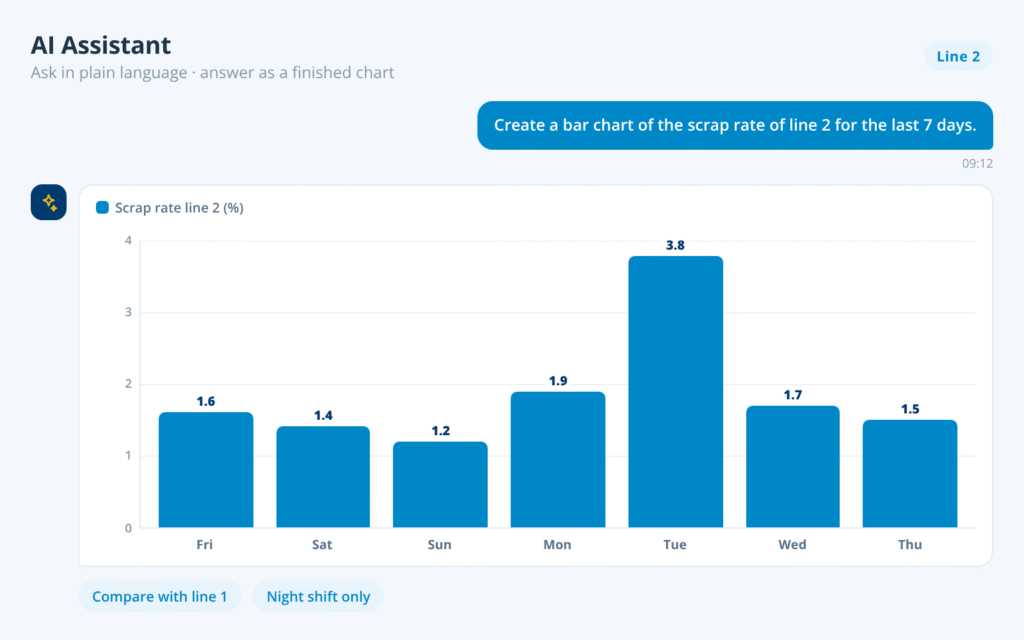
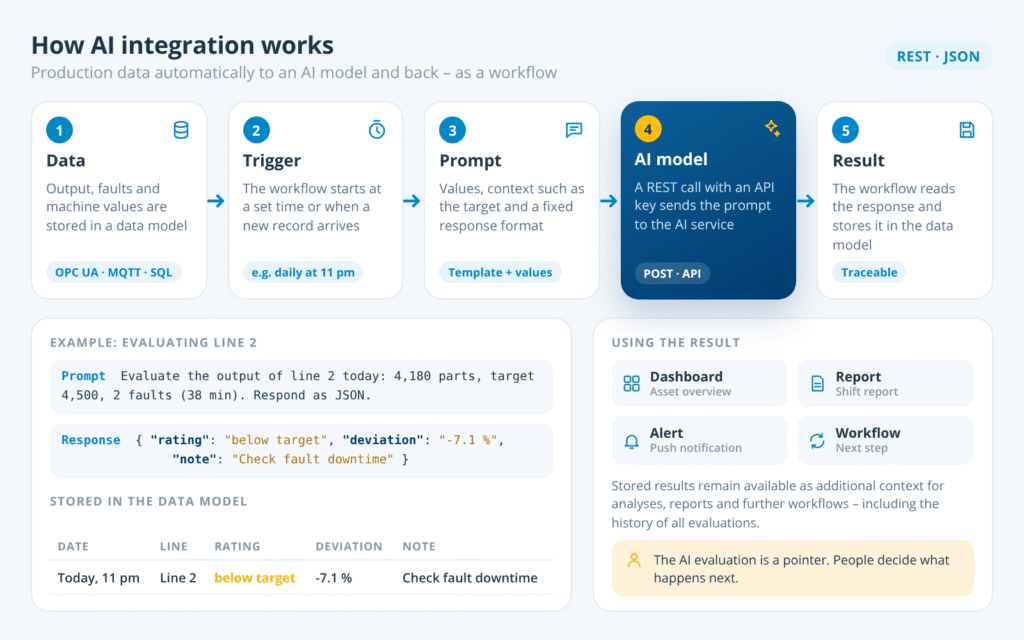
The integrated MCP server makes production data from your manubes tenant available to AI assistants. Ask questions about downtime, scrap or fault reports and get analyses and recommendations based on the latest data.
- Enabled with one click, ready to use immediately
- Access strictly within existing manubes permissions
- Answers from validated production data, no exports
Integrated MCP Server
Connect manubes to AI environments
The manubes MCP Server connects AI assistants to your manubes tenant. Using the Model Context Protocol (MCP), it gives Claude, ChatGPT, Copilot and others secure, controlled access to data in manubes.
Enabled with one click
Secure sign-in via OAuth
Your data models, readable for AI
How It Works
How does the manubes MCP Server work?
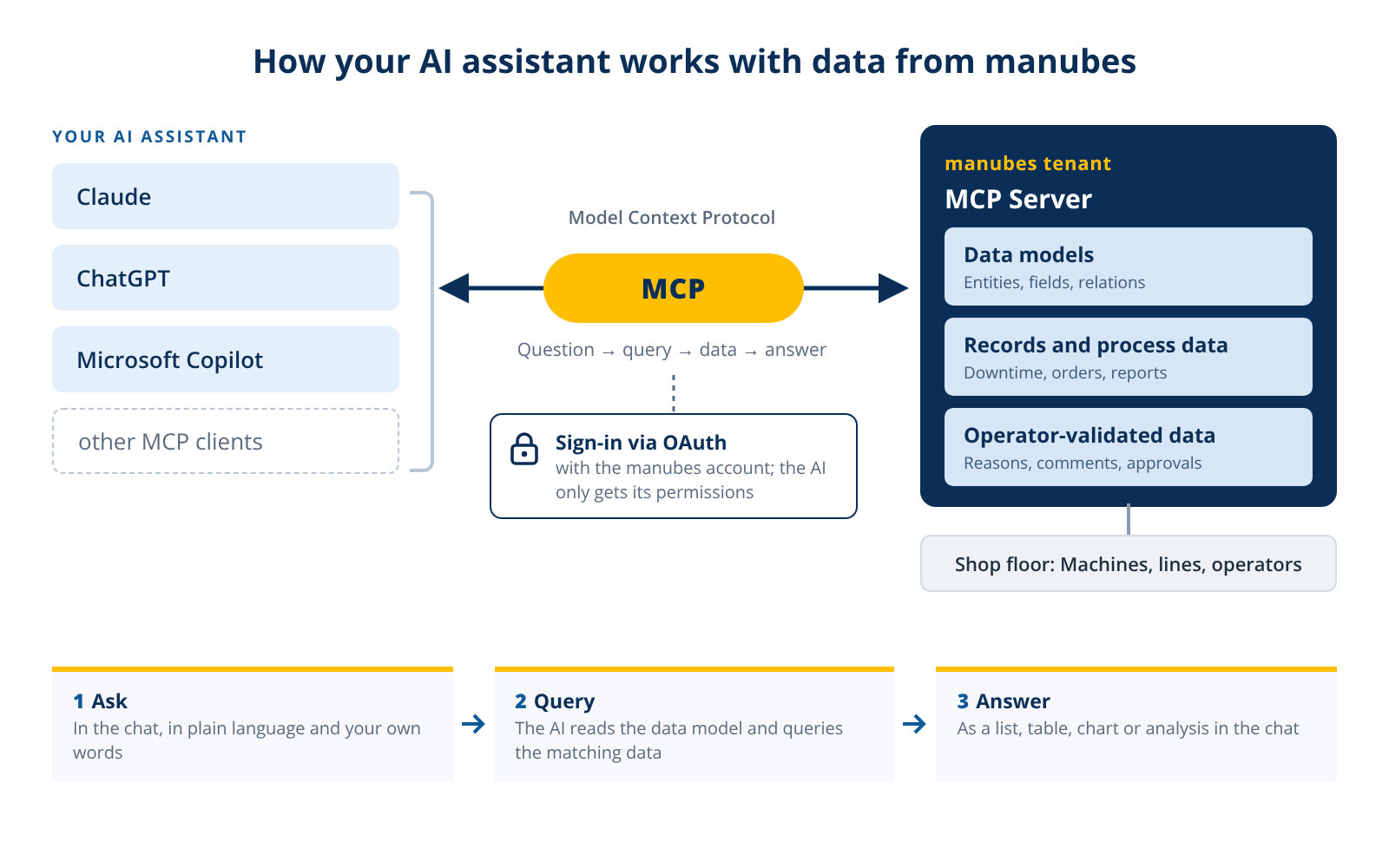
You work in the AI assistant you already use, such as Claude, ChatGPT or Microsoft Copilot. Add your tenant’s MCP Server URL and authenticate the connection.
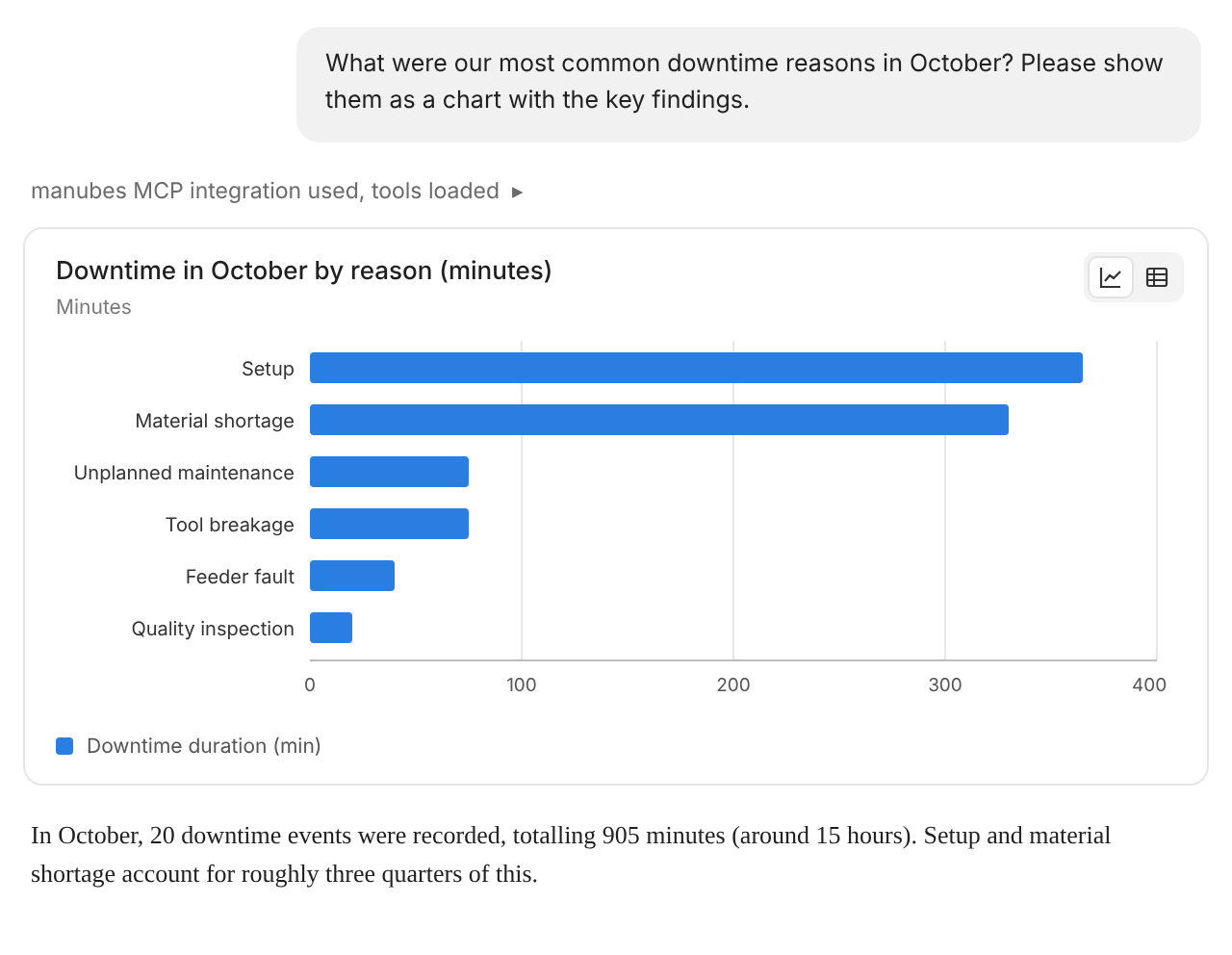
Then simply ask your questions in the chat. Whenever a question requires production data, the AI checks the data model via the MCP server and retrieves the relevant records. Answers appear directly in the chat as lists, tables or analyses. You can use the tools of your AI environment, for example to create charts or files, and combine data from manubes with information from other sources such as manuals and work instructions.
Example Questions
What can production managers ask?
Questions are asked in the chat of the AI assistant, in plain language. The AI gathers the matching data from manubes, calculates metrics such as the reject rate and compares periods, lines, products or shifts. It summarizes long lists of entries in a few sentences. Four examples from everyday production:
“Which line had the most downtime last month, and what were the main causes?”
“How has the scrap rate developed over the last two quarters, broken down by product?”
“Summarize all fault reports logged for machine 4 this week.”
“Which checklist items are most often marked as not OK, and on which shift?”
Why It Matters
AI is only as good as the data behind it
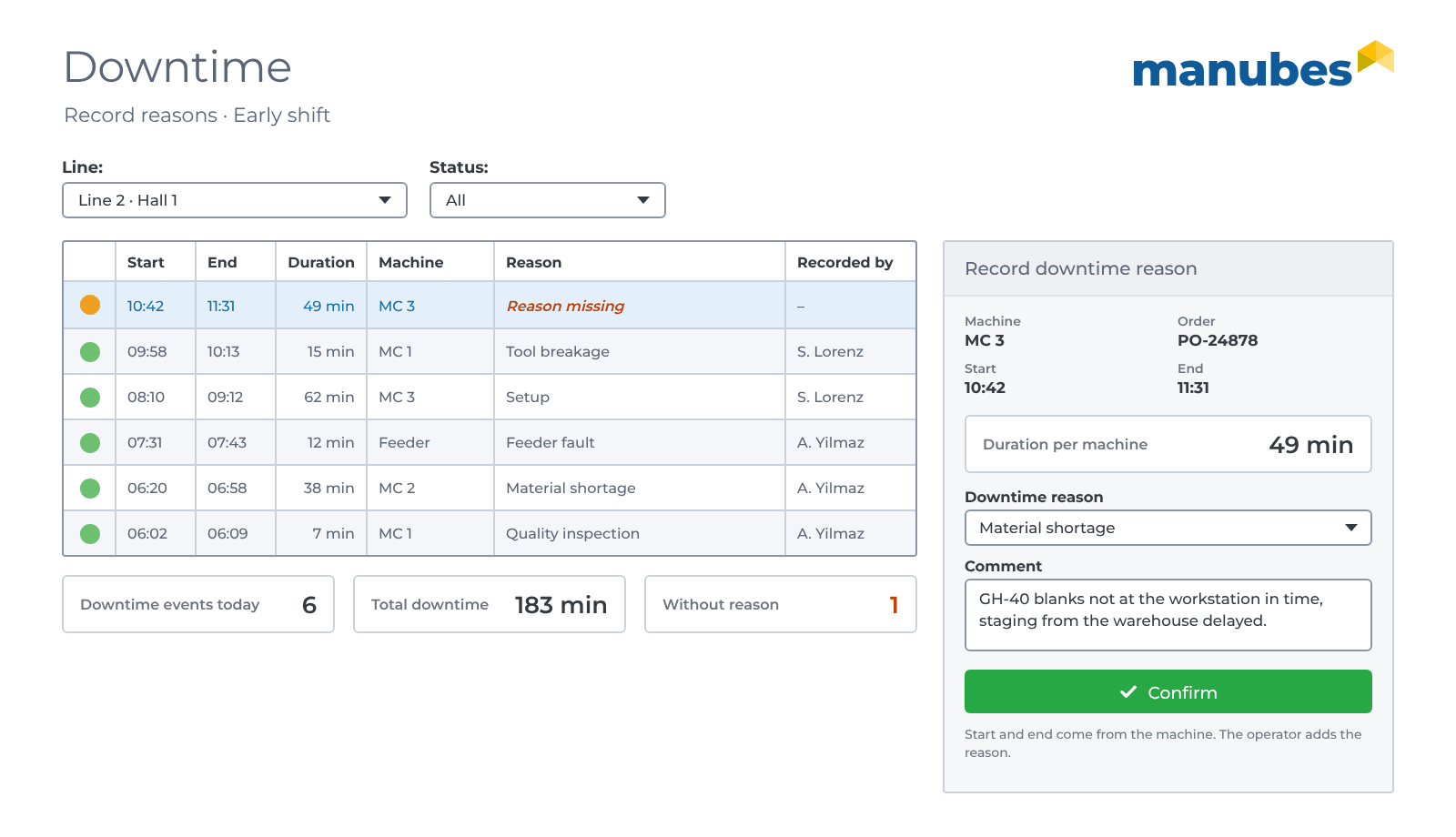
manubes records production data cleanly and in context. Much of it is checked and enriched by operators on the line, such as the reason for a downtime event reported by the machine.
This validated process data is a reliable foundation for professional AI: Answers and analyses are based on what really happened in production.
What are the benefits of the manubes MCP Server?
Open standard
MCP is supported by the leading AI providers. You are not tied to a single tool.
The AI you already use
Claude, ChatGPT or Microsoft Copilot. You do not need a new tool.
Current data instead of copies
The AI works directly with the data in manubes, not with outdated Excel exports.
Answers with context
The AI knows the data model and understands what the data means.
No data science project
Production managers ask their own questions and find patterns, outliers and losses themselves.
Future-proof
New AI models and tools use the same connection as soon as they appear.
Comparison
MCP server or data export:
What is the difference?
Without an MCP server, production data first has to be exported, prepared and uploaded to the AI assistant. With the manubes MCP Server, the AI accesses the data directly.
| Criterion | Export and own analysis | manubes MCP Server |
|---|---|---|
| Up to date | As of the last export | Current data from manubes |
| Effort | Export, preparation and upload for each question | Connect once, then ask |
| Meaning of the data | Column names without context | AI knows entities, fields and relations |
| Permissions | File is passed on without access rights | Existing manubes permissions apply |
| Who asks the question? | Usually IT or data science | Production managers themselves |
Security
Is the manubes MCP Server secure?
The manubes MCP Server uses OAuth for authentication and authorization. Every connection runs through an existing manubes user account. Its roles and permissions apply unchanged: The AI only sees what the signed-in user is allowed to see in manubes.
MCP access can be switched off per tenant. An administrator explicitly enables it in the tenant settings. Currently, the MCP server provides read access to data.
manubes
Set up the MCP server in 4 steps
-
Enable
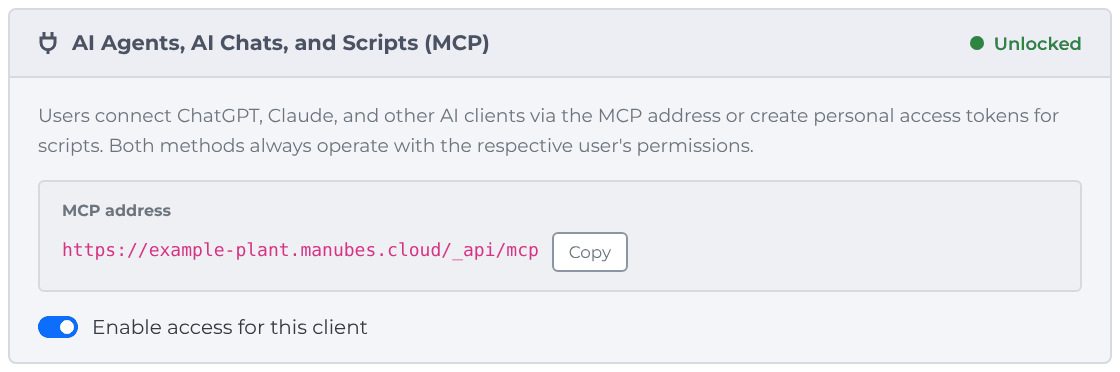
In manubes, go to Administration › Tenant Settings › “AI Agents, AI Chats, and Scripts” and enable access.
-
Copy the address
Copy the MCP address displayed for the tenant.
-
Add it to your AI assistant
Add the address in your AI assistant as a custom connector or MCP server, for example in Claude or ChatGPT.
-
Connect and ask
Confirm access with your manubes account and ask questions about your production in the AI assistant.
Factsheet
Download the manubes MCP Server factsheet
All features, the setup and use cases on three pages, ready to share with colleagues in IT and production.
- How it works and setup in three steps
- Example questions on quality, faults and processes
- Security and permissions at a glance
Frequently asked questions about the manubes MCP Server
What is an MCP server?
An MCP server is an interface based on the open Model Context Protocol (MCP) standard, through which AI assistants access data and tools of external systems. The manubes MCP Server provides the data models and data of a manubes tenant for this purpose.
Are MCP servers secure?
The security of an MCP server depends on authentication and permissions. The manubes MCP Server uses OAuth with existing manubes user accounts, so the AI only sees what the signed-in user is allowed to see.
Which AI assistants work with the manubes MCP Server?
The manubes MCP Server works with Claude, ChatGPT, Microsoft Copilot and other MCP-capable clients. Whether MCP support is available depends on the respective AI client and plan.
What data can the AI query via the MCP server?
Via the manubes MCP Server, the AI can read the data models and records that the signed-in user has access to in manubes. These include, for example, downtime, fault reports, inspection results and order data.
Does the manubes MCP Server require an IT project?
No. An administrator enables access in the tenant settings with one click. The MCP address is then added to the AI assistant and confirmed with the manubes account.
Further information