
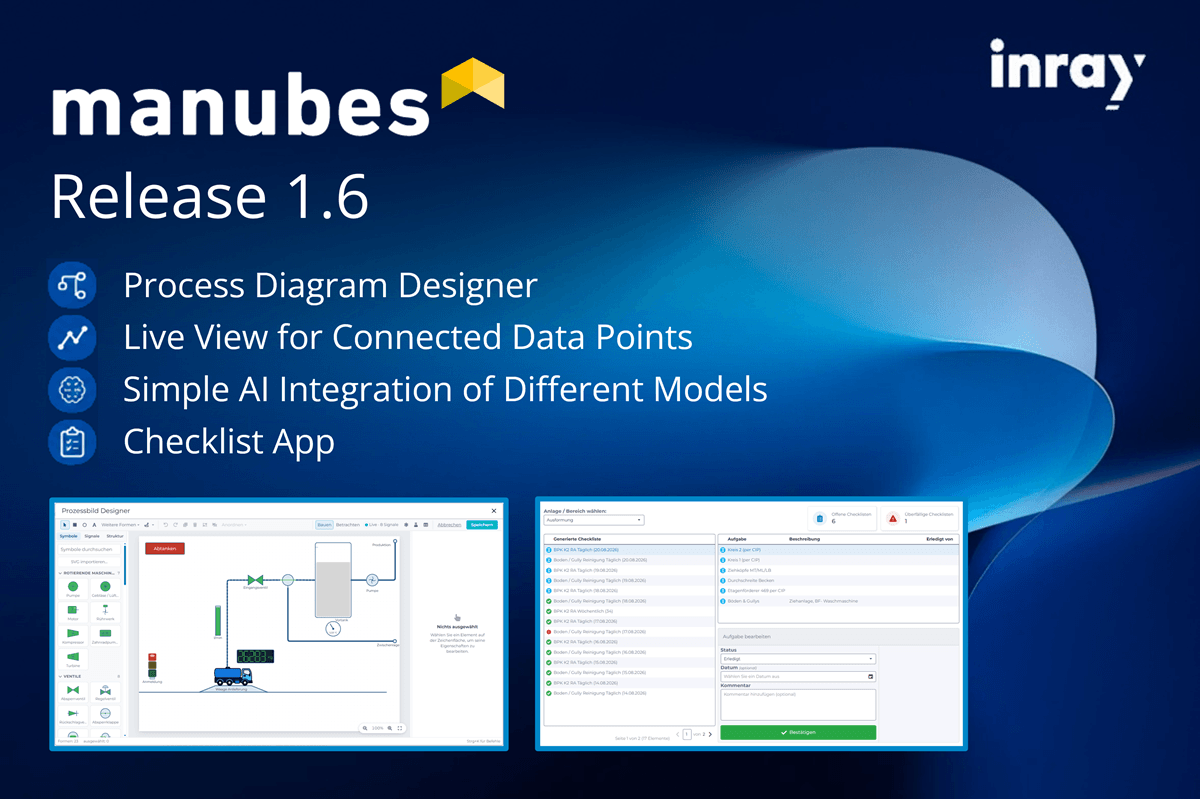
manubes Version 1.6 is live – with exciting new features for process visualization and control, data transparency and AI integration.
- Process visualization with the Process Diagram Designer
- Live view of connected data points
- Simple AI integration of different providers
- Page variables and parameters
- Custom target URLs for push notifications
- Translations for pages and data models
- New checklist application in the demo environment
The new features are now available in manubes. Create your free demo tenant to get started with creating your own applications.
New designer for interactive process visualizations
The new Process Diagram Designer enables the creation of dynamic process visualizations, primarily for use in process engineering.
manubes users can combine graphical elements such as traffic lights, tanks, pumps, valves and pipes via drag-and-drop to create custom process images.
Graphical elements (symbols) can be linked to data sources, rules and animations to control their display based on live data – for example, the fill level of a tank or the status of a valve.
Individual elements can also be configured as buttons to enable control functions.
Examples:
Receiving station
CIP cleaning station
Conveyor lines and material flows
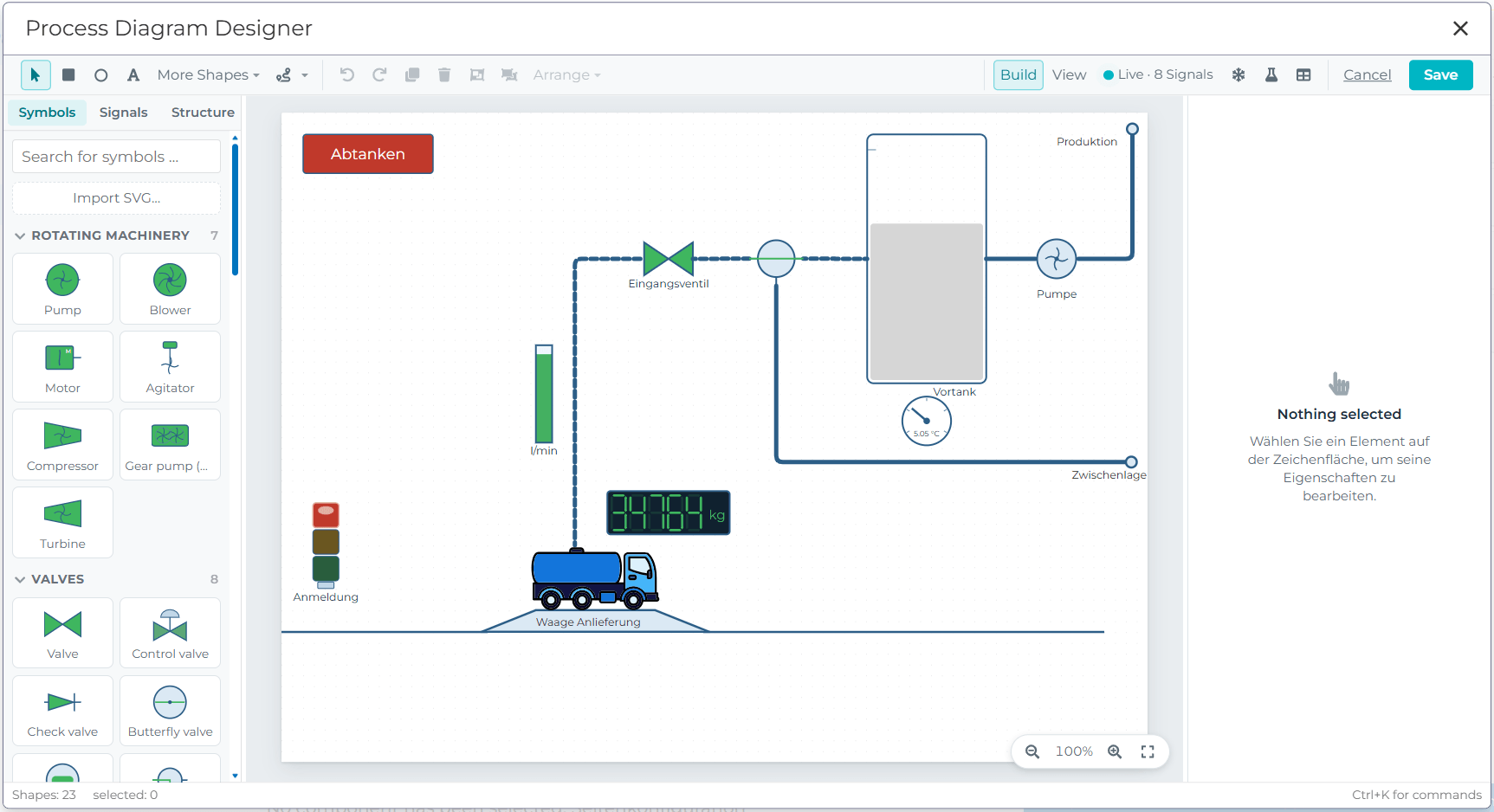
The Process Image Designer expands the existing visualization capabilities of the manubes platform with process-oriented views and graphical control options. Users can see live data and statuses directly on the corresponding equipment elements.
Especially in complex plants, process images make it easier to navigate and allow users to monitor and control processes directly from their visual representation.
Live view of connected data points
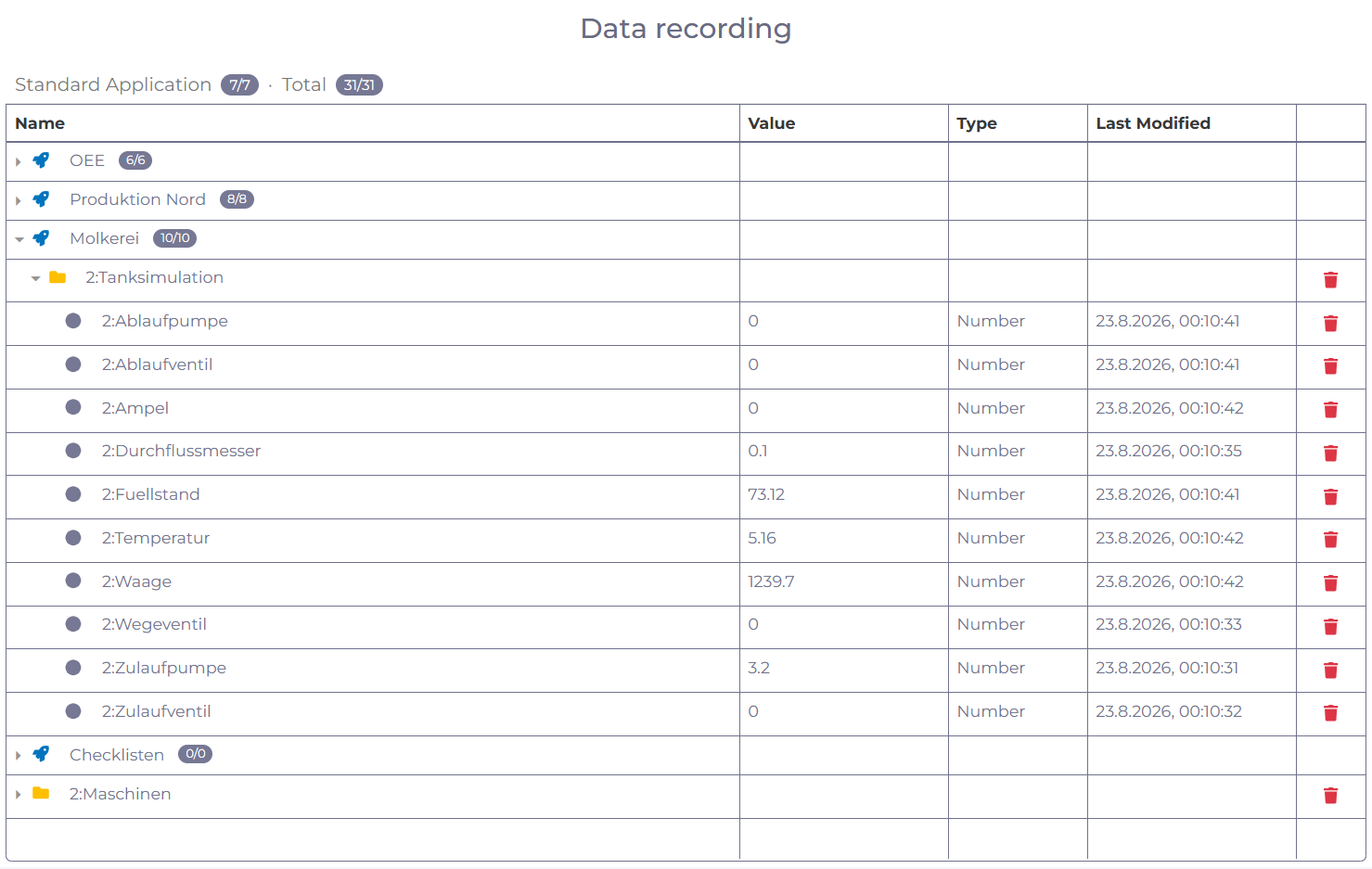
The new Data Recording view provides an overview of all connected data points and displays their current live values.
This provides quick insights into machine data and simplifies diagnostics – even without custom-built dashboards.
Users with the appropriate permissions can see all active data sources and recordings in one place and have the option to delete data points.
Simple AI integration of different providers
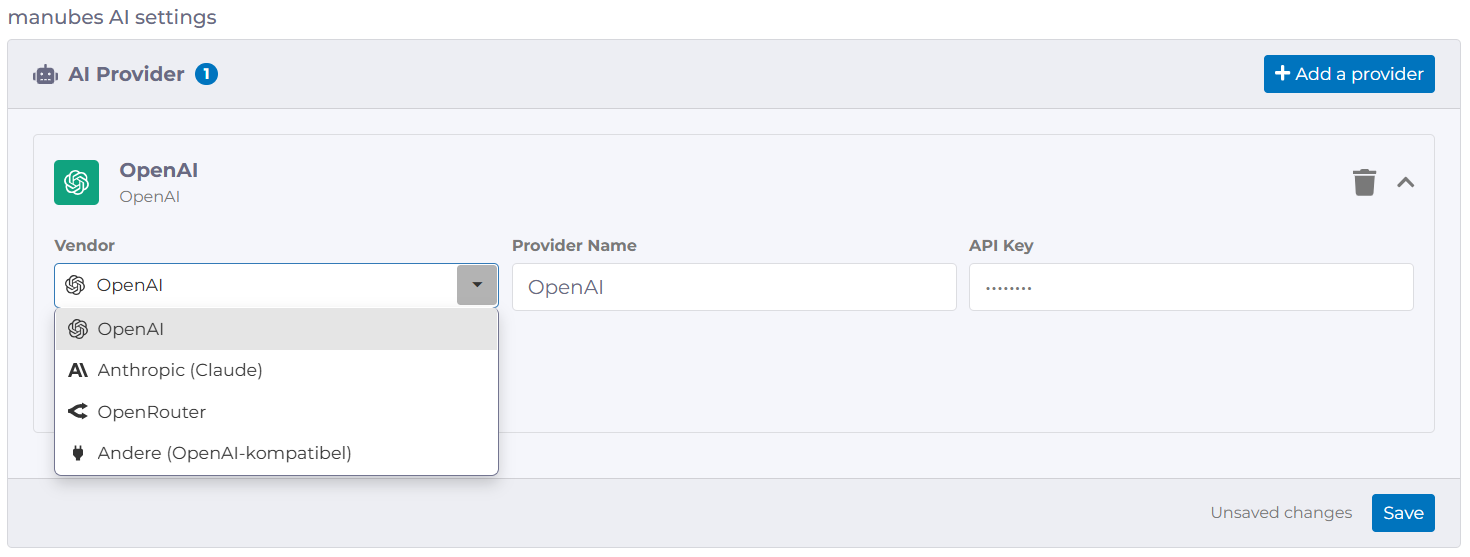
The new manubes AI settings section in the tenant settings allows AI models from different providers to be connected through a unified interface.
The models can then be used via the integrated AI assistant to analyze existing data, visualize it and support manubes users in their day-to-day production work.
Page variables and parameters
The Page Designer now allows variables and parameters to be added to individual pages.
These provide a wide range of options for filtering and controlling how data is displayed or for passing parameters to workflow automations.
Variables are only available within a page, while parameters can also be accessed from outside the page. This allows parameters to be set specifically when opening a page, for example via a button in another manubes application.
Examples:
Display of orders by customer ID
Filtering material inventories based on selected criteria
Passing an order number to a workflow that starts an approval, review or notification process for the selected order
Opening a machine page with a preselected equipment ID so that the relevant production data, statuses and KPIs are displayed immediately
Custom target URLs for push notifications
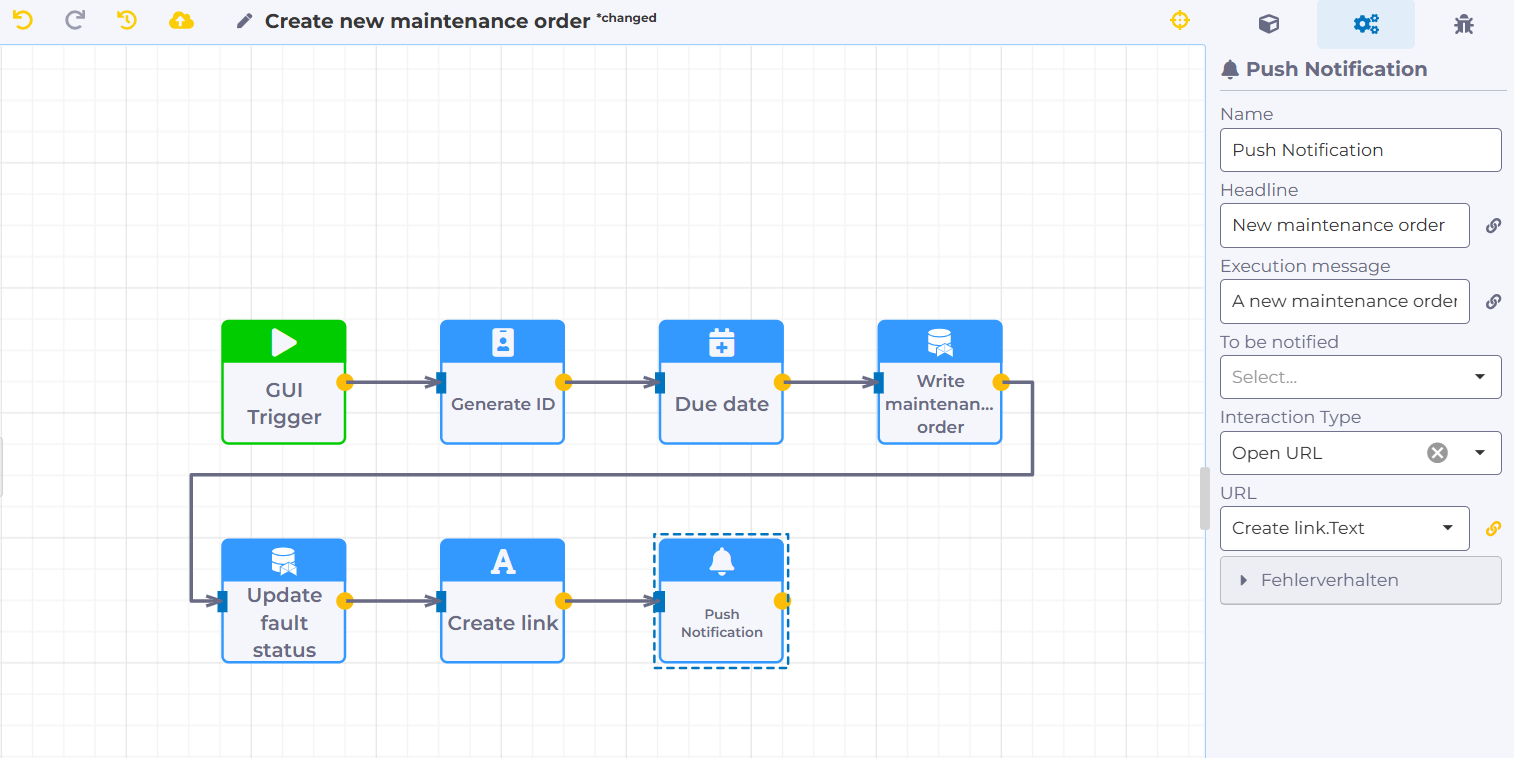
Push notifications can now be linked to selected target views, allowing recipients to navigate directly to the relevant location in manubes.
Adding URL parameters enables precise, context-specific navigation to prefiltered order overviews, machine dashboards or approval dialogs.
Example:
An equipment overview displays current faults with known and unknown causes. A new maintenance order can be created using a button with a popup form, automatically notifying the maintenance team via push notification. Clicking the push notification takes the recipient directly to the corresponding maintenance order in manubes.
Translations for pages and data models
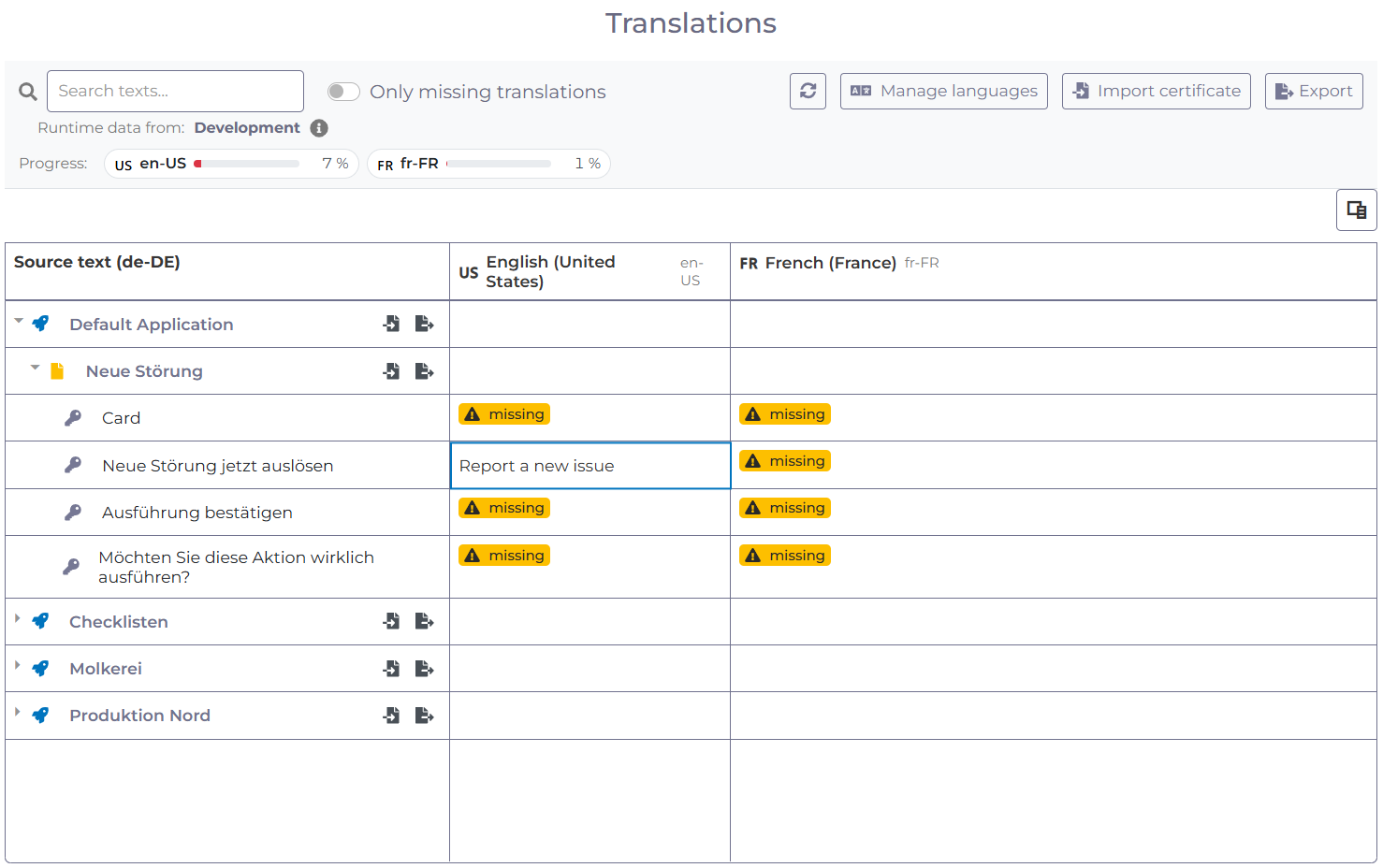
The new Translations feature for pages and data models allows users with different language settings to use the same interfaces in their preferred language.
The Translations section in the manubes administration provides a complete overview of all text elements used on pages, organized by application. These can be translated into any language.
Translatable text can also be used within data models.
New checklist application in the demo environment
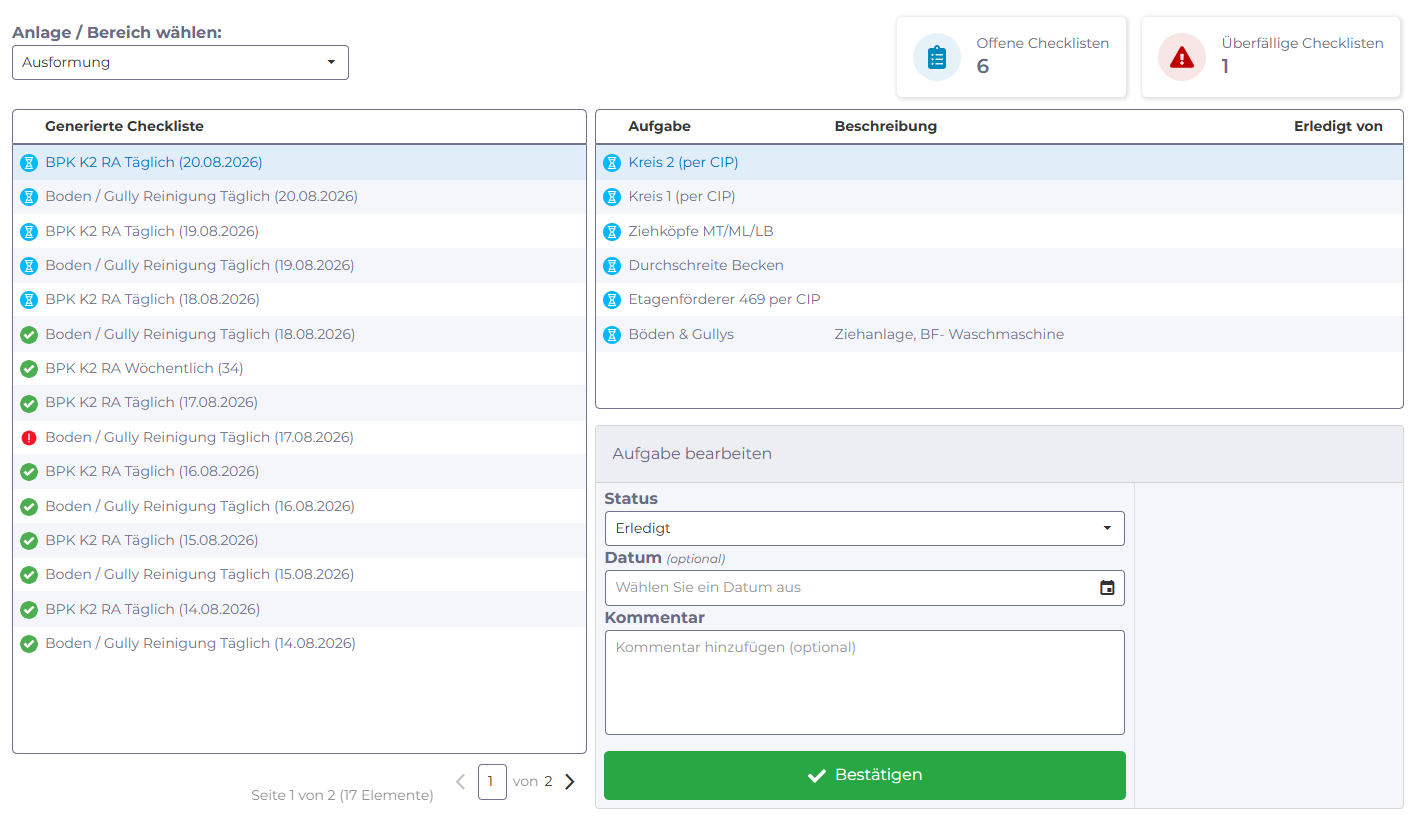
New demo tenants now include a checklist application that demonstrates how checklists can be created, managed and used in production.
With manubes, you can provide your own mobile-accessible checklists for a wide range of production tasks – from cleaning and maintenance to quality inspections and approvals.
Try manubes for free
Get access to all features within your personal demo environment.
If you need support, our team is happy to assist.
Learn more about manubes

Connect systems
The manubes components connect systems to the cloud and transfer production data securely.

Feature Overview
manubes allows you to structure, visualize and automate your production in the best possible way.

Security Concept
manubes keeps your data safe by implementing a multitude of security measures and best practices.


Recent Comments