
OPC UA Communication with manubes
OPC UA Client for Manufacturing
The manubes platform implements an intuitive OPC UA Client. Establish secure connections to OPC UA Servers at various sites and visualize production data in real-time.
Centralized access to OPC UA data
Cloud-based OPC UA Client for manufacturing
The manubes platform implements an OPC UA Client with an intuitive configuration interface. It allows manufacturers to collect and visualize production data in the cloud and send data to control systems.
Thanks to integrated edge components, manubes users are able to establish connections with OPC UA Servers at different locations and process data in a central location.
Visualize important process parameters in real-time or view historical data – with manubes, you are always keeping track of your assets and processes.
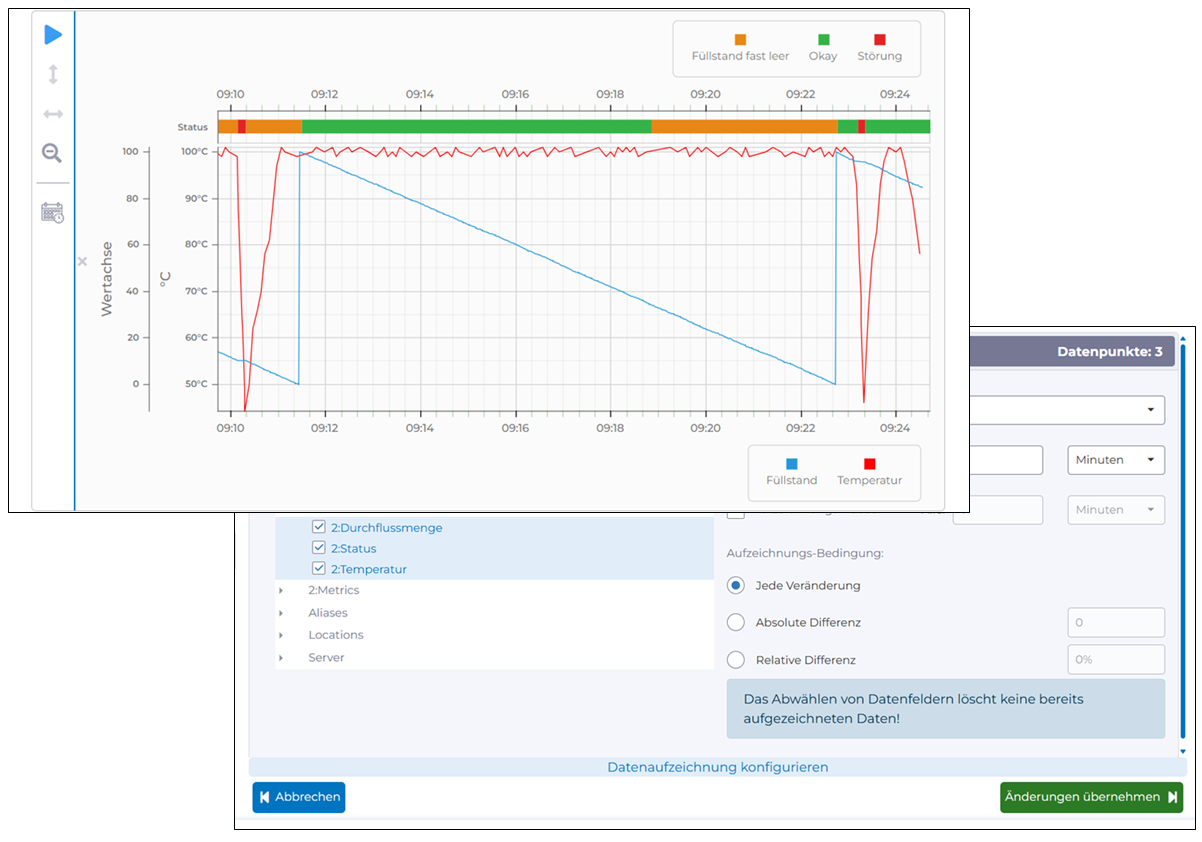
Centralized access to OPC UA data
Cloud-based OPC UA Client for manufacturers
The manubes platform implements an OPC UA Client with an intuitive configuration interface. It allows manufacturers to collect and visualize production data in the cloud and send data to control systems.
Thanks to integrated edge components, manubes users are able to establish connections with OPC UA Servers at different locations and process data in a central location.
Visualize important process parameters in real-time or view historical data – with manubes, you are always keeping track of your assets and processes.
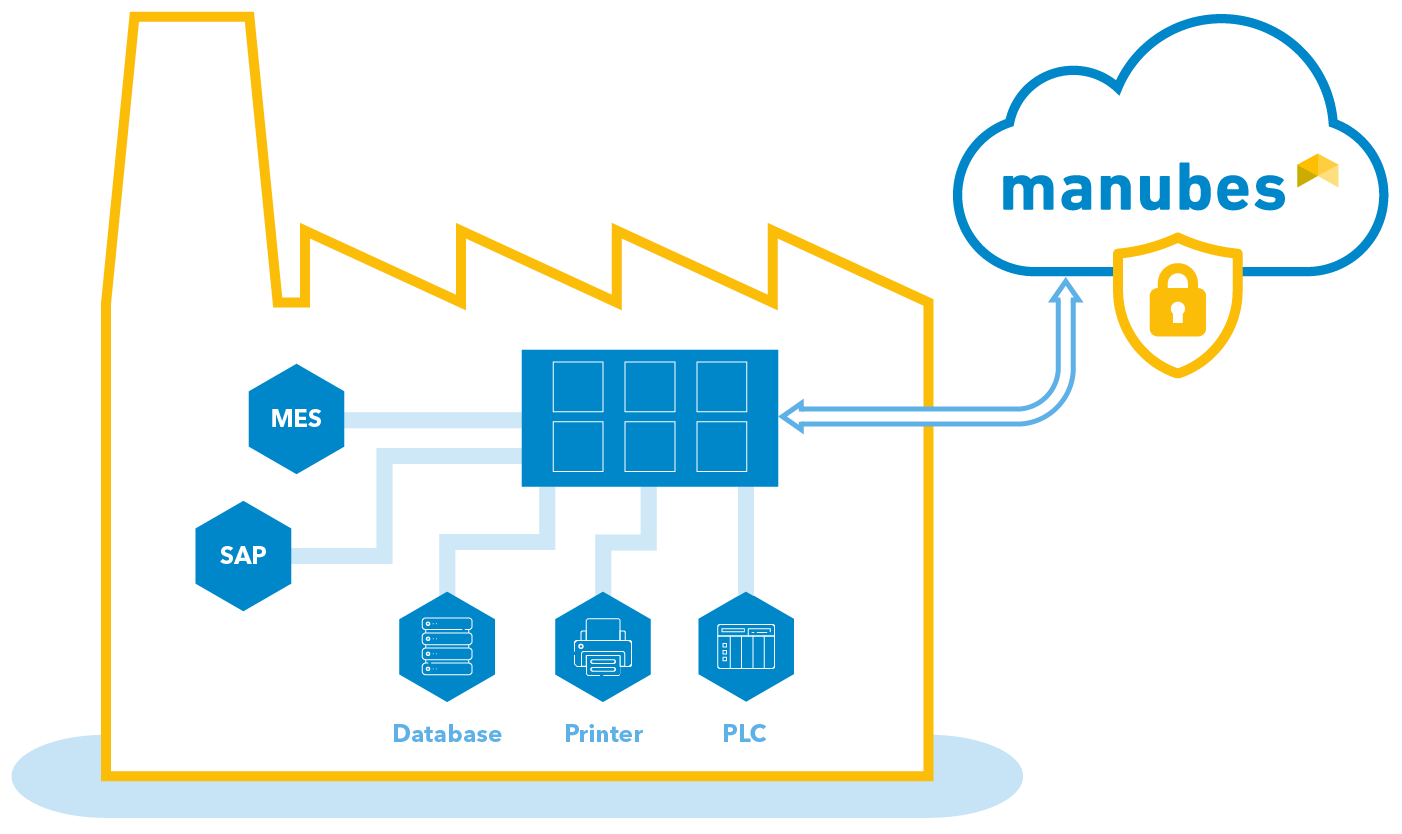
Communication with distributed OPC UA Servers
Secure client-server connections through Edge Nodes
With manubes, you can aggregate production data from different sites on a central cloud platform via OPC UA. In order to establish secure connections to remote OPC UA Servers, manubes utilizes edge components.
Using local Edge Nodes at different manufacturing sites, you are able to transfer data between your local production systems and the manubes cloud environment – securely and bidirectional.
For more information, please refer to our page on System integration with manubes and the manubes Security Concept.
Communication with distributed OPC UA Servers
Secure client-server connections through Edge Nodes
With manubes, you can aggregate production data from different sites on a central cloud platform via OPC UA. In order to establish secure connections to remote OPC UA Servers, manubes utilizes edge components.
Using local Edge Nodes at different manufacturing sites, you are able to transfer data between your local production systems and the manubes cloud environment – securely and bidirectional.
For more information, please refer to our page on System integration with manubes and the manubes Security Concept.
Try the OPC UA Client in manubes
Get access to your personal demo environment and start configuring your own OPC UA connections. If you have any questions or need assistance, our team is happy to help.
manubes as an OPC UA Client – Intuitive configuration
With manubes, you are able to set up connections to OPC UA Servers through an intuitive OPC UA Client interface. manubes guides you through the connection details, security configurations and options for data recording.
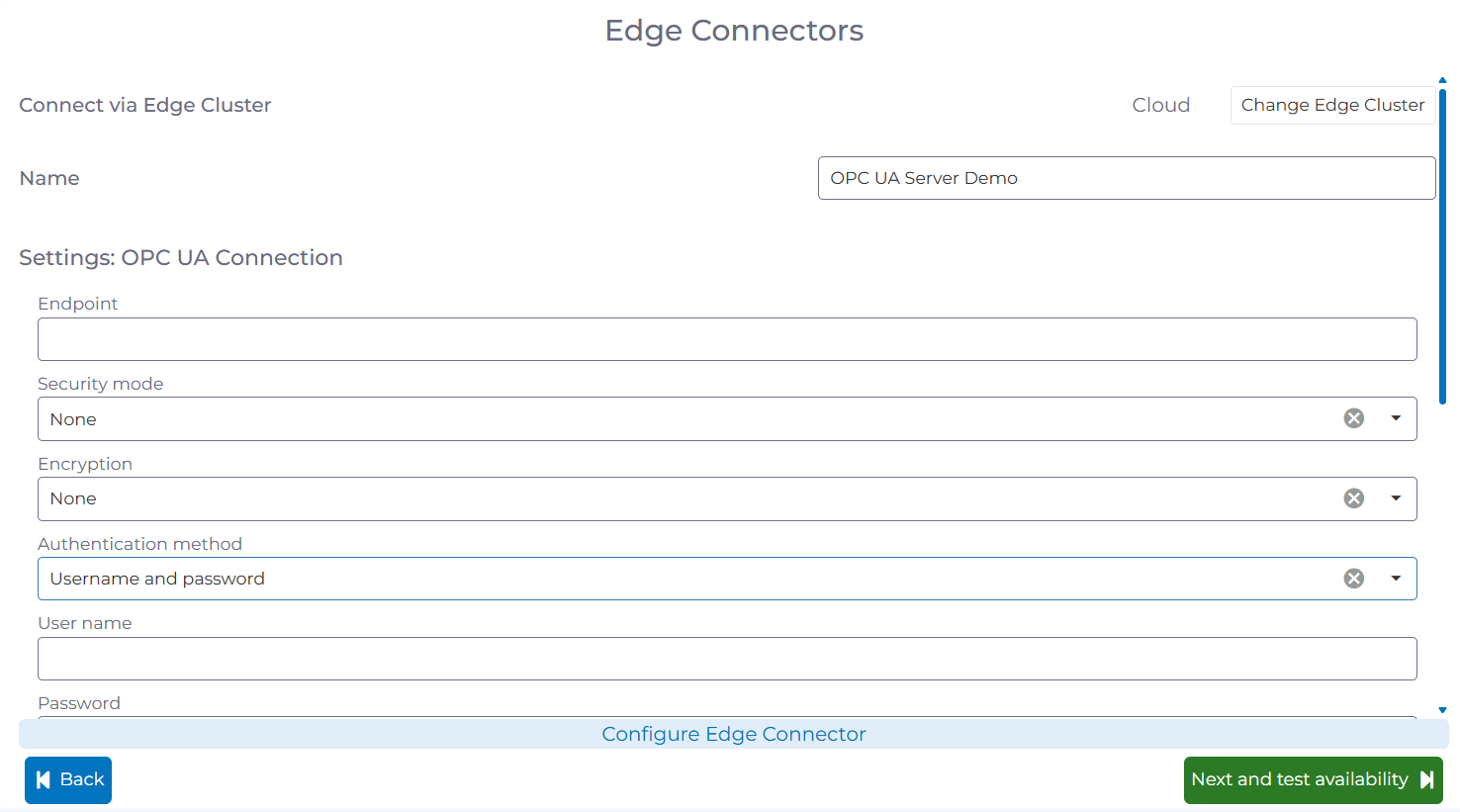
Enter the server address and authentication data. Continue by selecting your desired security settings.
Settings such as timeouts and update rate can be set up through simple dropdown controls.
After establishing a connection to the OPC UA Server, you are able to configure the recording of selected data points.
Choose the data you want to capture with manubes and configure settings such as retention time and triggers.
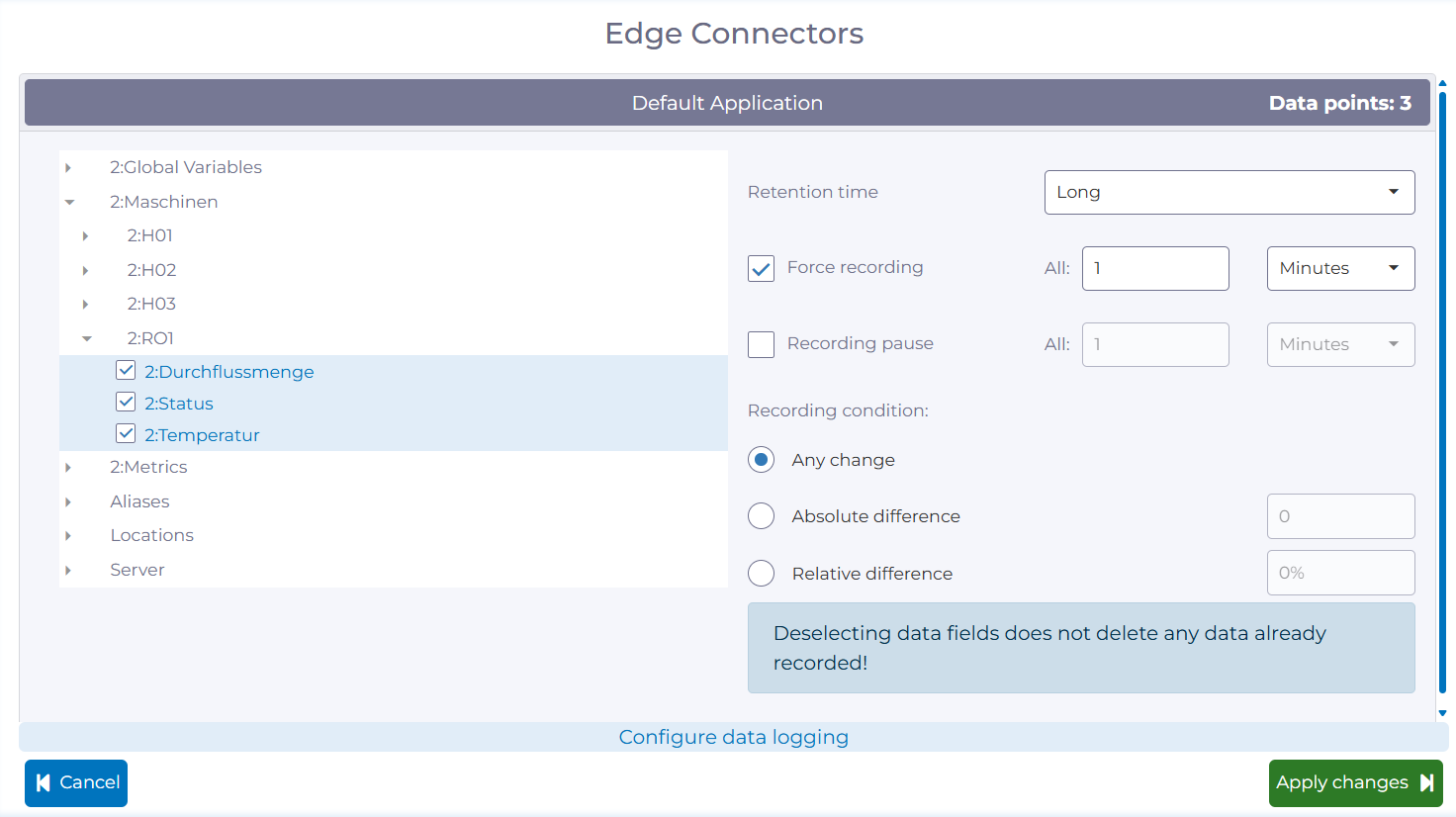
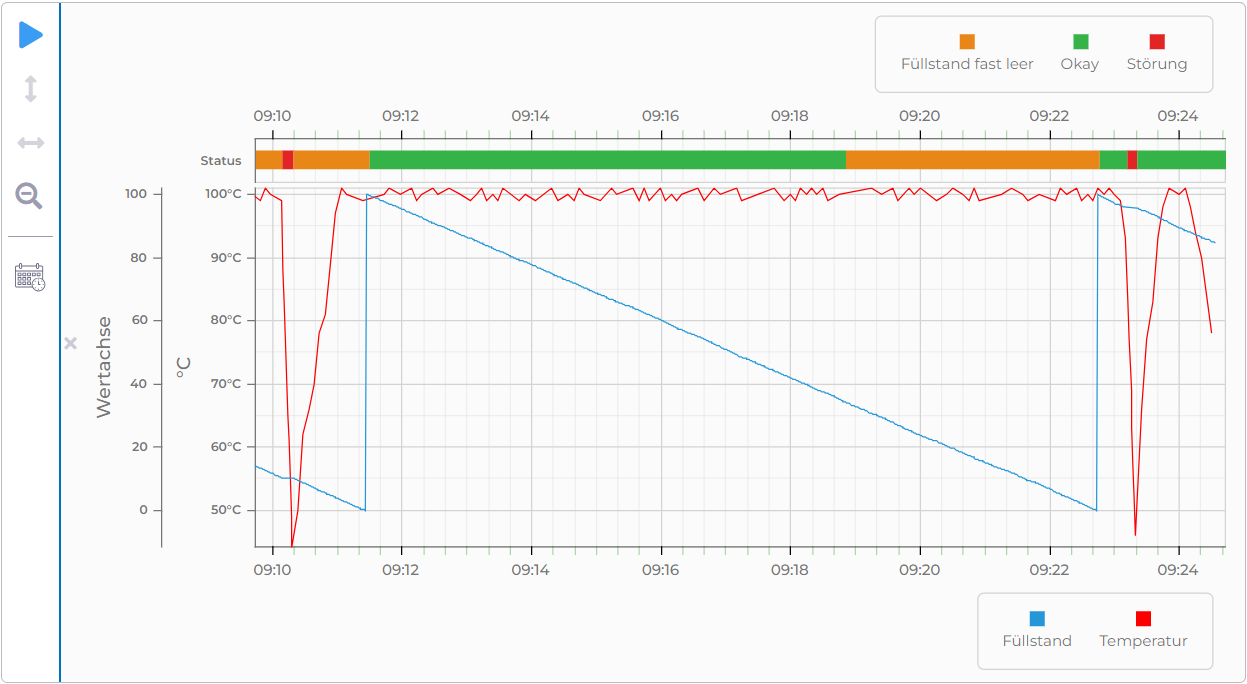
The selected data points are now available as live data sources within manubes.
Choose between various display options such as the Time Series Chart in order to visualize selected process parameters in real-time or view data in a historical context.
manubes as an OPC UA Client – Intuitive configuration
With manubes, you are able to set up connections to OPC UA Servers through an intuitive OPC UA Client interface. manubes guides you through the connection details, security configurations and options for data recording.
Enter the server address and authentication data. Continue by selecting your desired security settings.
Settings such as timeouts and update rate can be set up through simple dropdown controls.
After establishing a connection to the OPC UA Server, you are able to configure the recording of selected data points.
Choose the data you want to capture with manubes and configure settings such as retention time and triggers.
The selected data points are now available as live data sources within manubes.
Choose between various display options such as the Time Series Chart in order to visualize selected process parameters in real-time or view data in a historical context.
Try manubes for free
Test the OPC UA Client and other features within your personal cloud environment.

