
Optimize tasks with digital tools
Connected Worker – Definition, Implementation & Examples
A connected worker utilizes real-time data and digital tools to perform tasks more efficiently. Learn why the connected worker approach is a practical digitalization strategy for many manufacturers.
The connected worker approach combines human expertise with real-time data access, mobile applications and workflow automation.
Production teams use devices such as tablets, smartphones or wearables to access digital tools:
- Dashboards with real-time data
- Automatic alerts and notifications
- Mobile control interfaces
- Digital work instructions
- Training materials and interactive guides
The ideal connected worker always has up-to-date information, can respond quickly to events, makes data-driven decisions and completes work steps precisely and efficiently with digital support. In the background, automated workflows manage the transfer and synchronization of data between IT and OT systems.
Successful implementation requires the integration of the many systems used in production: From sensors and machine controllers to ERP systems and cloud platforms. Learn more about implementation in the section “Requirements for the connected worker”.
Benefits
Connected worker as a digitalization strategy
The connected worker is a strategic digitalization approach that puts people at the center, supported by modern technology.
Data integration and automation make manual processes and slow communications more efficient. Employees can focus more on value-adding tasks, while productivity increases.
At the same time, manufacturers maintain a higher level of flexibility and responsiveness when compared to fully automated environments.
Benefits of the connected worker
Transparency and faster reactions
Connected workers gain access to real-time dashboards and data. Information can be received through mobile alerts, so that important issues reach the right people without delay. The result is reduced downtime, data-driven decisions and less time lost due to lenghty communication channels.
Effective production control
Integration with ERP and other systems allows information such as production and transport orders to be displayed at the line or in the warehouse without delay. Employees can use mobile applications to update statuses, approve processes and provide feedback.
Higher employee satisfaction
Implementing the connected worker approach usually means less time spent searching, greater confidence in executing tasks and better onboarding processes for employees. Different teams can access real-time data, digital work instructions and multimedia guides wherever they are.

Safety and compliance
Real-time alerts for safety incidents or early warning indicators improve occupational safety and help prevent hazardous situations. Digital safety protocols are available from any location while incidents can be reported through mobile apps.
The connected worker approach is a digitalization strategy that can be implemented step-by-step and typically does not require huge upfront investment. Instead, manufacturers can follow a continuous improvement process to gradually equip teams with proven digital tools.
Implementation
Requirements for the connected worker
Implementing the connected worker approach typically requires the following components:
1. Hardware
Industrial-grade smartphones, tablets, wearables or stationary devices are the physical tools used to interact with data, processes, products and people.
2. Applications
Applications include the user interfaces a connected worker interacts with, as well as the related data models and background processes.
Applications are often tailored to support specific tasks. They must be intuitive to use and compatible with the hardware in place. Ideally, they can also be quickly adapted to changing requirements.
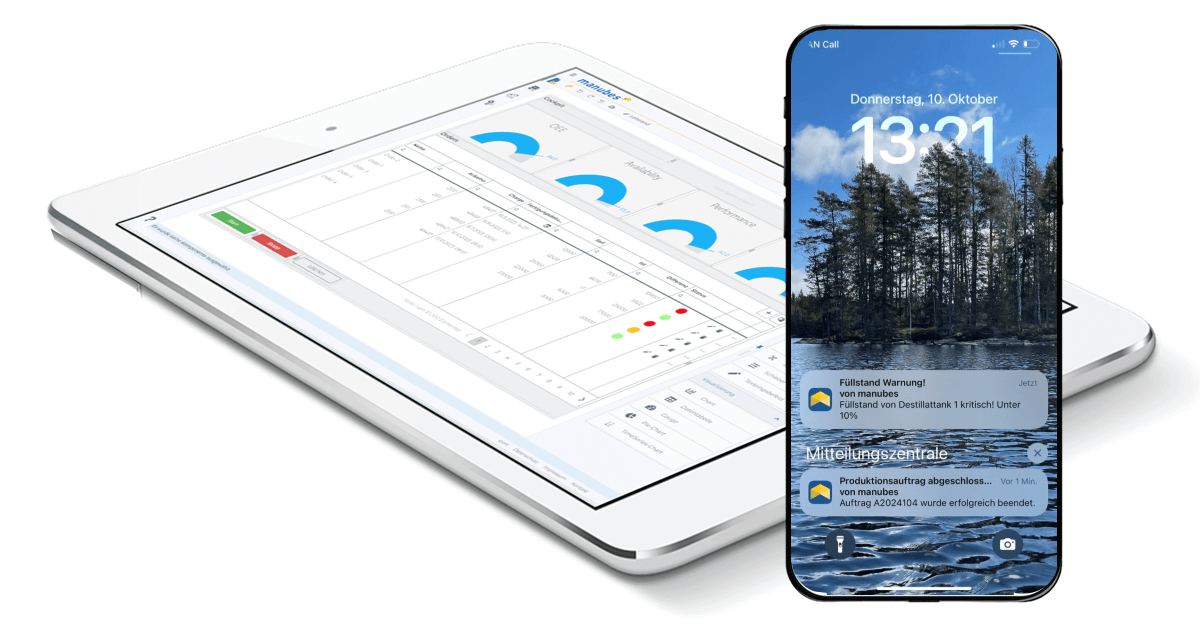
Example applications: Interactive dashboard and mobile push notifications
3. Connected Worker Platform
Applications can be developed and accessed through cloud-based no-code platforms. These platforms allow users to create and edit user interfaces, data structures and background workflows without programming knowledge, including versioning, backups and related functions.
End users can then access the applications from anywhere via mobile devices.
Many platforms also provide the option to centrally store and manage production data with tools like the manubes Datamodel Designer.
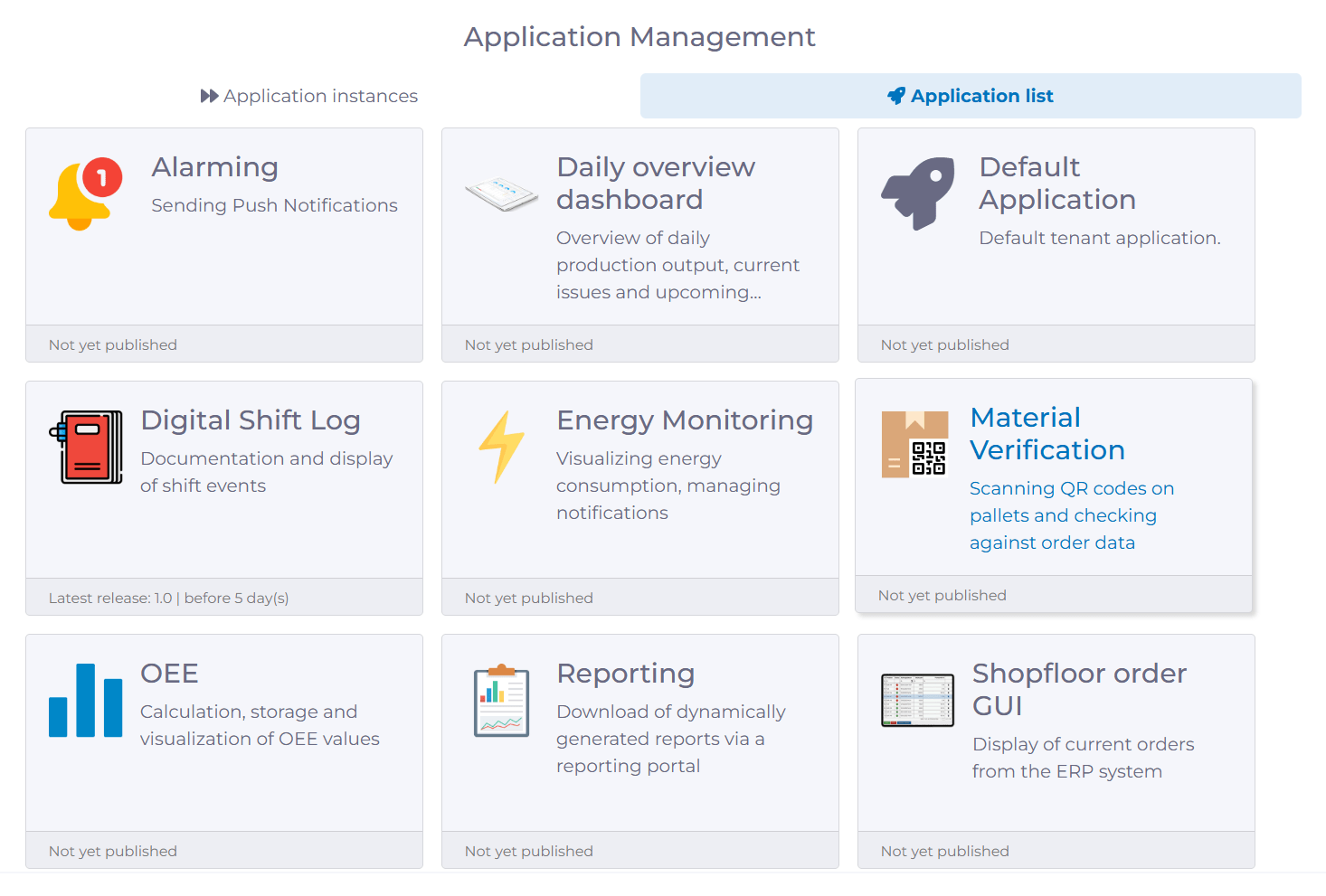
Application overview in manubes
4. Interfaces
Industrial standard interfaces such as OPC UA or REST APIs integrate the connected worker platform with machines, devices, databases and software systems. Platforms often provide connectors for various industrial interfaces, reducing integration effort.
Legacy equipment and systems can be equipped with connectivity solutions such as OPC UA servers where needed to enable standardized data access.
5. Access controls
Permissions define which users or user groups are allowed to access specific applications, data and functions. Access rights can usually be managed centrally through the connected worker platform.
Examples
Connected worker examples – 5 practical applications
Below, we show five example applications for a connected worker:
1. Push notifications on mobile devices
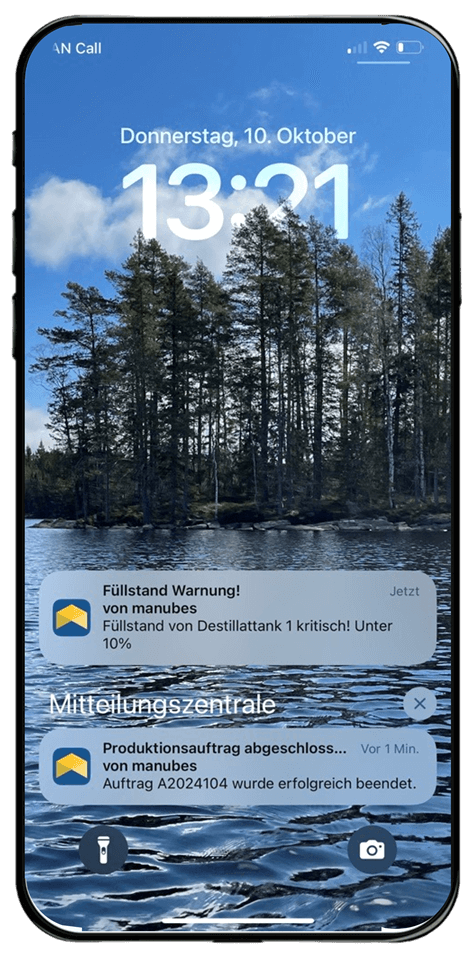
Automated push notifications ensure that the right information reaches the right people immediately.
Examples:
- Notifications for faults and downtime
- Warnings when limit values are exceeded (e.g. excessive temperatures)
- Warnings about material shortages
- Notifications when production orders are completed
This keeps operators, warehouse staff and production managers up to date at all times and allows them to respond quickly and flexibly.
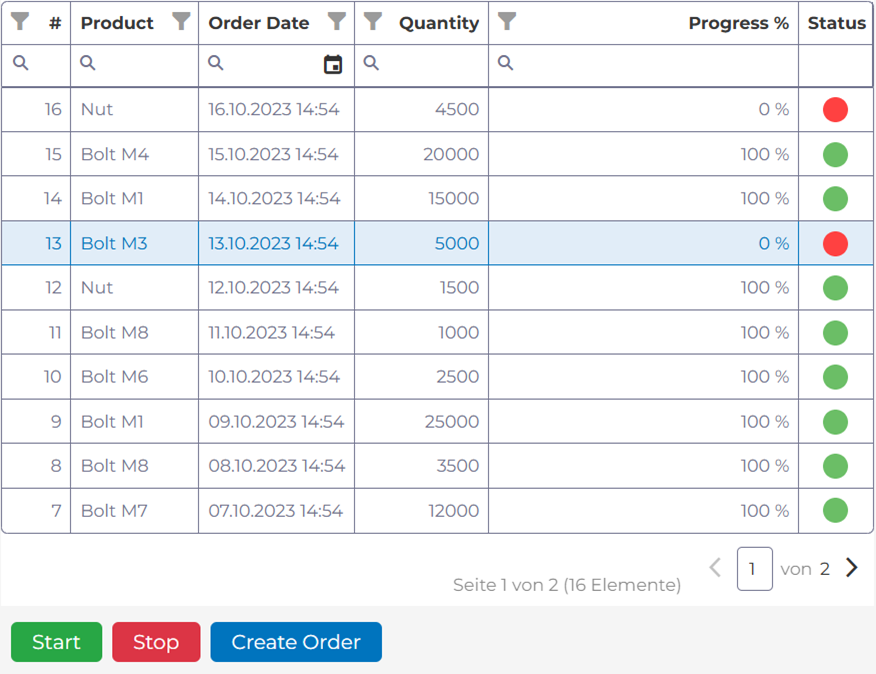
2. Mobile GUIs with ERP data integration
With manubes, you can integrate data from SAP and other systems into custom GUIs and control interfaces. This gives shopfloor and logistics teams access to the latest production and transport orders in real-time.
Connected workers can submit status updates and provide feedback, which is synchronized immediately in the background.
3. Material verification via QR code scan
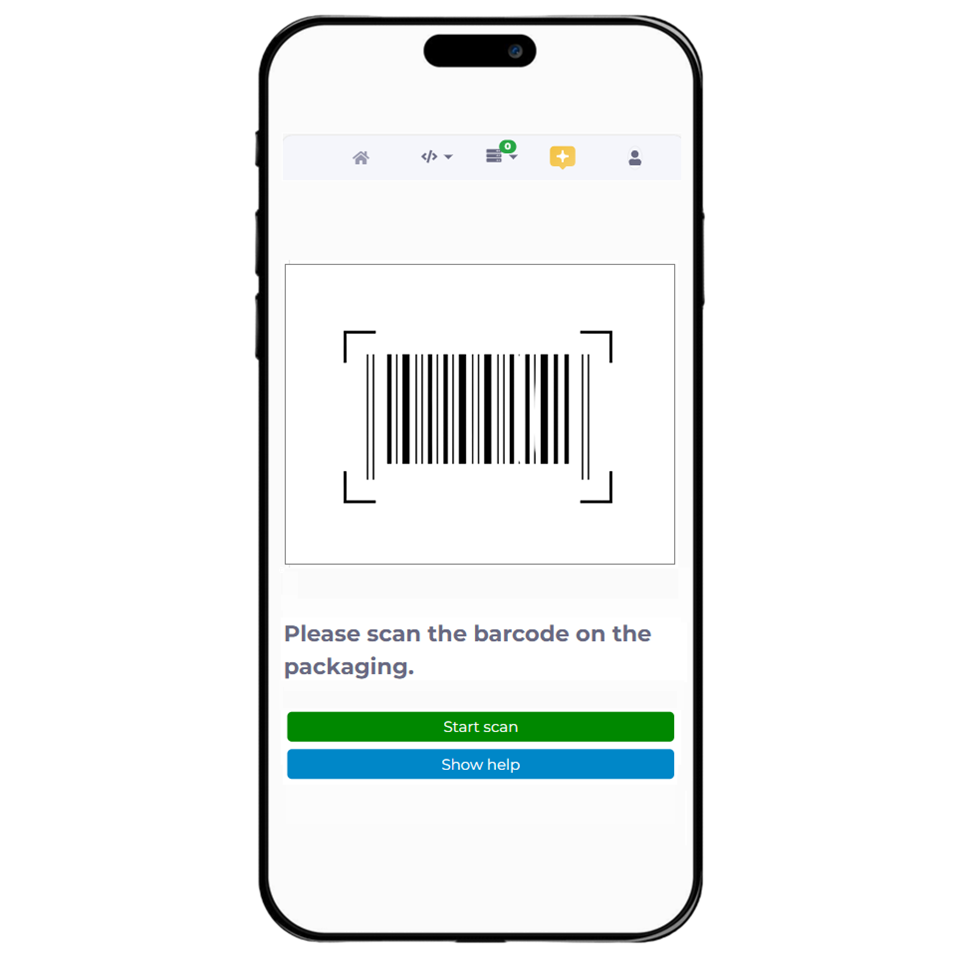
By scanning QR codes and barcodes on raw materials, labels or packaging, employees can verify that the correct materials are available at the production line. This helps prevent costly mix-ups.
Scans can be integrated directly into custom mobile order interfaces or apps. Data matching and approval are handled automatically in the background.
4. Digital shift log
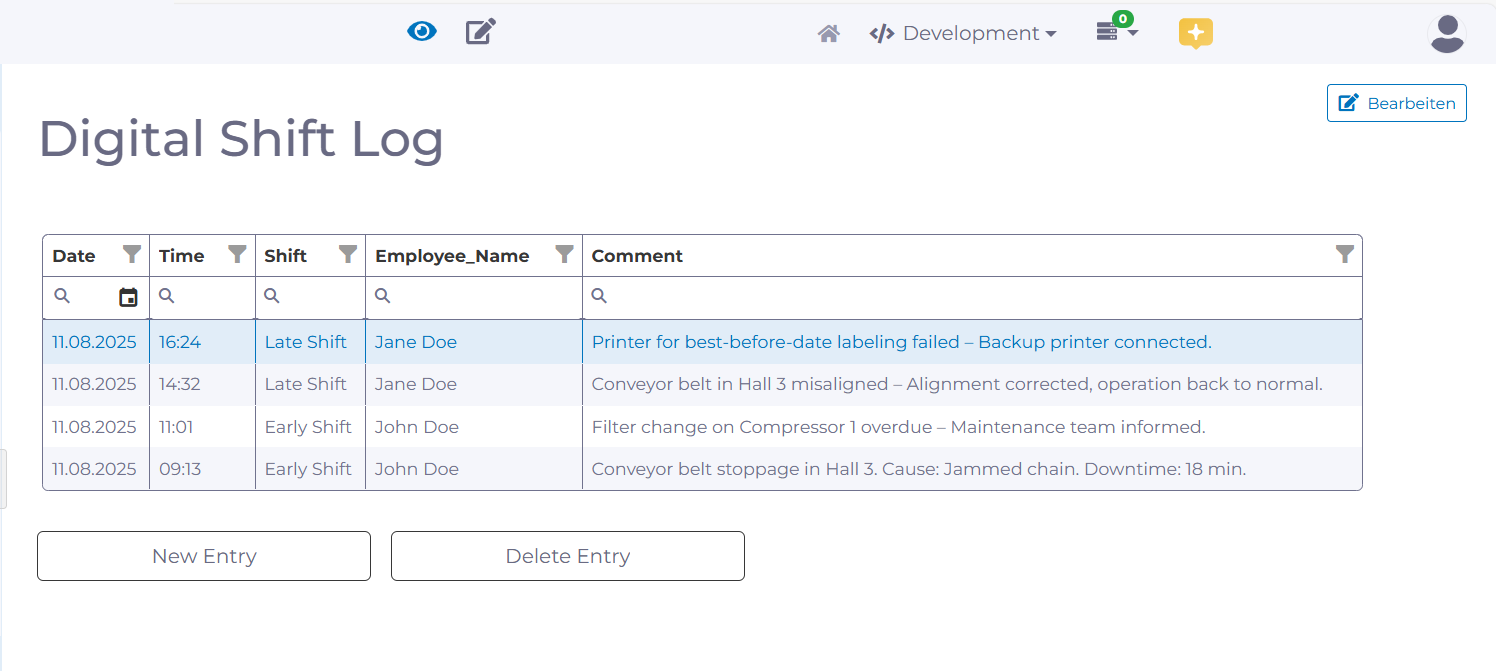
A digital shift log ensures transparency between shifts and prevents important information from being lost.
Employees can record shift events directly on site using mobile devices and view previous events. The logged data is also available for later analysis.
5. Digital work instructions

Digitizing work instructions, training materials and documentation avoids paper chaos and makes it possible to integrate multimedia content and automation.
Easily accessible video instructions, interactive checklists and digital inspection tools support employees with various tasks.
Digitalization Platform
manubes as a connected worker platform
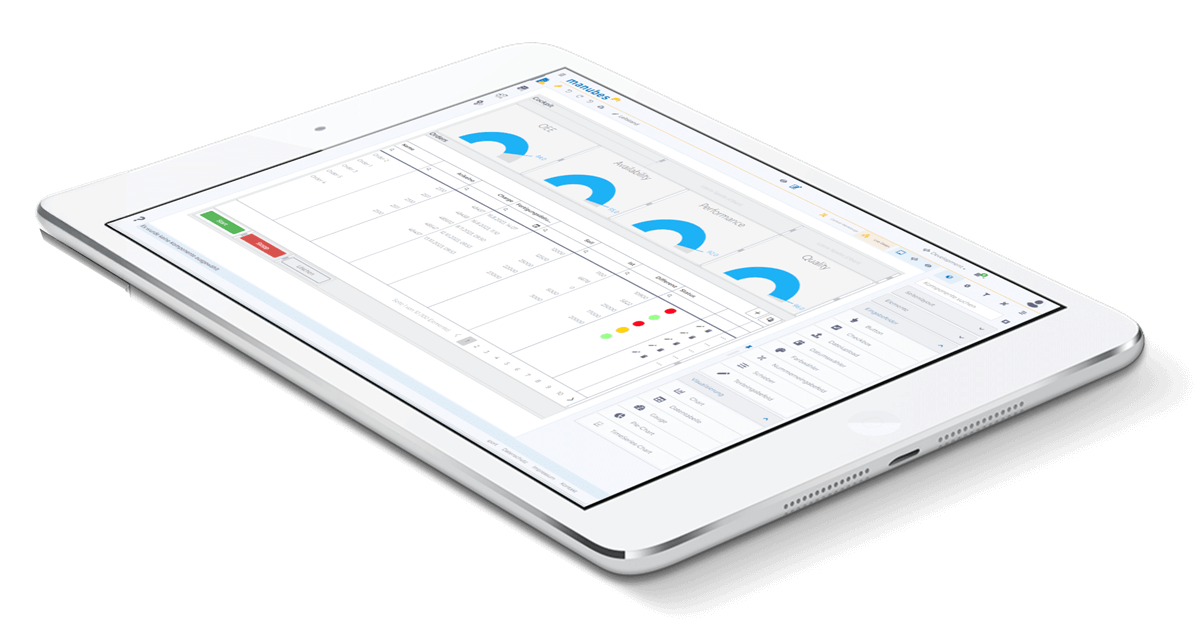
manubes combines data management, visualization and workflow automation on a central platform. Manufacturers gain access to intuitive design tools to quickly create their own dashboards, automations and custom applications.
Get started quickly, scale with future requirements
manubes by inray requires no local installation, server infrastructure or license management. The platform and it’s functions are accessible via web browser on any device.
Create your personal manubes test account within minutes and start developing your own solutions. manubes uses a no-code approach, standardized interfaces and modern security standards.
Proof of Concept –
Your individual project with manubes
We support you in implementing your custom solution with manubes. As part of a proof of concept, you’ll have the opportunity to experience manubes in action and develop your desired application in close collaboration with our team.
Try manubes for free
Test the different manubes features in your personal cloud environment.

