
Cloud Computing
What is Cloud Computing?
In cloud computing, various computer resources are made available via the internet for on-demand use. In this article, we introduce the different models of cloud computing and discuss the advantages, use cases and current trends.
Definition
What does cloud computing mean?
Cloud computing refers to the provision of computer resources and services via the internet, including servers, storage space, computing power and various software applications.
Cloud users can access these resources and are given the opportunity to store and process data, use services and perform various other tasks that would normally require their own IT infrastructure.
For companies, cloud computing offers the opportunity to save costs for operating and managing their own servers. Instead, they use the infrastructure, platforms and software of external cloud providers and in many cases only pay for the resources they actually use.
Cloud technology is everywhere today – both in the business and private environment. Email programs, messaging services, social media and streaming platforms are just a few examples of well-known applications that are based on cloud infrastructure.
In the business sector, a distinction can be made between public clouds and private clouds. Public clouds are provided and managed by third-party providers and offer access to (shared) resources via the internet. Private clouds, on the other hand, are only used by a single organization and offer a higher degree of control.
A hybrid cloud combines both: some data and applications run in a public cloud, others in a private cloud or on the company’s own servers (on-premise). The comparison Cloud vs. hybrid vs. on-premise shows which operating models are possible with manubes.
Models
What are the different cloud computing models?
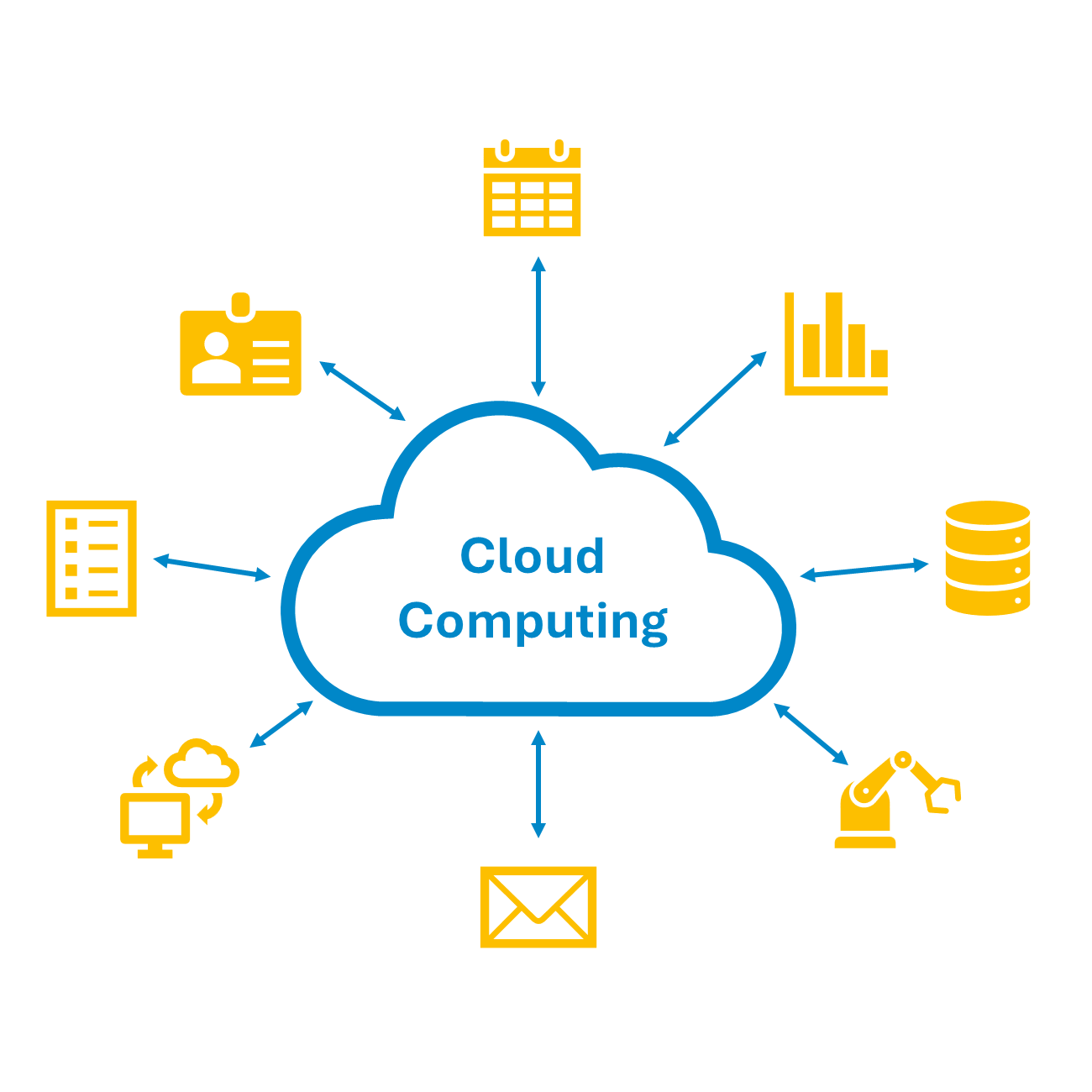
There are three basic models for the provision of cloud resources by a cloud provider:
Infrastructure-as-a-Service (IaaS)
In an IaaS model, servers, virtual machines, data storage and network resources are provided by a cloud provider.
Customers can use this (highly scalable) infrastructure to install and run their own software. The cloud provider is responsible for maintaining, securing and managing the underlying infrastructure, while the customer is responsible for the operating system, data and software.
In many cases, the cloud provider also offers monitoring and backup functions.
Platform-as-a-Service (PaaS)
In a PaaS model, the cloud provider provides a development environment (platform), including the associated hardware, software and developer tools.
Customers are given the opportunity to develop, test and run their own applications in the cloud. The cloud provider is responsible for operating the entire platform and the underlying infrastructure.
The developer tools provided differ from platform to platform. Support for widely used technologies such as Docker is offered by all the big cloud providers. In recent years, various development platforms have also been offering graphical user interfaces and low-code or no-code development tools (see also Citizen Development).
Software-as-a-Service (SaaS)
A Software-as-a-Service provider makes complete software applications available in the cloud, which customers can access via web browser.
In contrast to the classic model, where software is purchased and installed on a personal device, SaaS providers generally rely on subscription models.
SaaS applications offer various advantages for end users: they do not require their own installation, are accessible from anywhere and are usually updated and maintained by the provider.
You can find more detailed information here: What is Software-as-a-Service (SaaS)?
Comparison
IaaS, PaaS and SaaS compared
The three cloud computing models differ in how much the cloud provider takes care of. The table shows what the provider supplies in each case and what remains the customer’s responsibility.
| Criterion | Provided by the cloud provider | Customer's responsibility |
|---|---|---|
| Infrastructure-as-a-Service (IaaS) | Servers, virtual machines, data storage and network resources – including maintaining, securing and managing this infrastructure. | The operating system, data and the customer's own software installed and run on the infrastructure. |
| Platform-as-a-Service (PaaS) | A development environment with hardware, software and developer tools, plus operation of the entire platform. | Developing, testing and running their own applications and the associated data. |
| Software-as-a-Service (SaaS) | The complete software application, accessible via web browser, including updates and maintenance. | Using the application and their own data; usually billed as a subscription. |
The boundaries between PaaS and SaaS are fluid. The cloud platform manubes combines both models: it can be used via web browser without installation and also provides tools that manufacturers use to build their own applications.
What advantages does cloud computing offer?
Cloud computing first gained popularity in the early 2000s. Today, it is firmly established in both professional and private environments and enables numerous practices that are commonly taken for granted.
Companies and private individuals use cloud applications to share content, connect with each other, collaborate on projects or seamlessly access information – regardless of geographical location or the hardware used.
PaaS and IaaS models enable the rapid development and deployment of cloud applications. Cloud computing has opened up new possibilities, especially for smaller companies that only have limited IT capacities themselves: storage space and software applications can be used flexibly without incurring costs for installation processes, maintenance and security measures.
The most important advantages of cloud computing include the following:
Cost efficiency
Companies do not have to purchase, set up and manage their own hardware. Instead, they only pay for the resources and services that are actually used.
Scalability
The scalability of resources is one of the biggest advantages of cloud computing. As demand increases, resources such as storage or computing power can be flexibly ramped up and subsequently reduced again. In the case of a temporarily high request load, requests can be automatically distributed to other servers without affecting end users. In a traditional IT environment, capacities would have to be provided as a precaution and then likely remain unused most of the time.
Mobility and connectivity
Cloud platforms and applications are generally accessible from anywhere in the world via web browser and enable flexible & location-independent collaboration.
Processing large amounts of data
For many companies, cloud environments are a prerequisite for the use of technologies and processes that require the storage and processing of large amounts of data. These include big data analytics, IoT/IIoT and artificial intelligence.
Security
Larger cloud providers in particular invest heavily in security measures to ensure the security of data in transit and at rest, leading to many cloud environments featuring a high level of security. However, it is important to note that using cloud computing often means that sensitive data is managed by third-party providers. It is therefore important to carry out a thorough risk assessment and evaluation of security measures implemented by cloud providers.
Risks
Disadvantages and risks of cloud computing – and how to reduce them
Cloud computing also has disadvantages: companies hand over data and the operation of IT resources to a cloud provider. Most risks can be managed well through the choice of provider and clear contracts. The table shows the typical issues and the matching countermeasure.
| Criterion | Possible risk | How to reduce it |
|---|---|---|
| Data protection and GDPR | Sensitive data is stored by the cloud provider; with servers outside the EU, the legal situation can be unclear. | Choose a provider with servers in Germany or the EU and sign a data processing agreement. |
| Data security | Data is transmitted over the internet and stored centrally. | Require encrypted transmission, role-based access rights and a documented security concept. |
| Outages and data loss | If a system fails at the provider, data and applications are affected. | Agree on regular backups, availability commitments (SLAs) and a way to export your data. |
| Dependence on the provider | Switching can be costly if data and processes are tied closely to one provider. | Check standard interfaces and data export; put notice periods and support in the contract. |
| Internet connection | Without a stable connection, cloud services are not available. | Plan a redundant connection; do not make critical processes depend on a single line. |
| Ongoing costs | Usage fees are ongoing and rise with consumption. | Compare pricing models in advance, monitor usage and release resources that are no longer needed. |
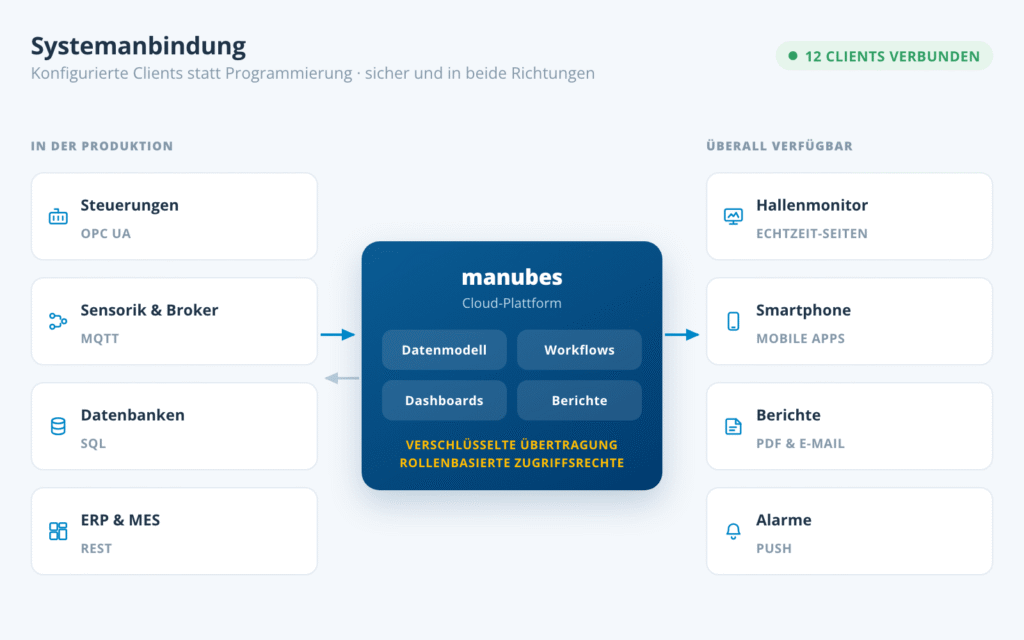
How manubes addresses these points for production is described in the security concept. It includes Cloud Services Made in Germany, service level agreements under German law, and a connection of production via outgoing connections, so that no incoming connections into your production network are required.
Use Cases
What are the most important use cases for cloud computing?
In many areas, cloud computing has led to fundamental changes in the way people and organizations work. Below we look at some of the key use cases for cloud environments.
Storing and sharing data
Use of computing power
Application development
Website and application hosting
Cloud computing in industrial production
Cloud computing allows industrial manufacturers to store, process and analyze production data, collaborate between departments and intelligently automate a wide range of processes.
Our cloud platform manubes combines all of these benefits within a single environment and provides intuitive tools for developing your own applications in the cloud.
With the manubes Page Designer, you are able to interactively visualize all areas of your production in real-time while the manubes Workflow Designer can be used to create automated workflows using a simple drag-and-drop editor.
The article The advantages of cloud platforms in production management explains the benefits in more detail.
Optimize your production with manubes

manubes offers a central platform for production data management, data visualization and workflow-based process automation.
Manufacturers gain access to a variety of innovative tools in order to quickly develop their own applications – tailored to their requirements.
Trends
What are the current developments and trends in cloud computing?
According to the Cloud Report 2025 by the German digital association Bitkom, 90% of the companies surveyed in Germany use cloud applications, up from 81% the year before (survey of 604 companies with 20 or more employees). Private clouds are more widespread at 74% than public clouds at 59%.
Software manufacturers have largely turned to the SaaS model in order to remain competitive and offer their customers the benefits of cloud software.
Since its establishment, cloud computing has also increasingly served as an enabler for other technologies, many of which are based on processing large volumes of data. These include the Internet of Things (IoT) and Industrial Internet of Things (IIoT), machine learning and artificial intelligence as well as augmented and virtual reality.
This role is particularly clear for artificial intelligence in the cloud: training and running AI models requires a great deal of computing power and large volumes of data, which cloud environments provide on demand. In production, too, AI functions increasingly come from the cloud, for example a chat assistant with access to production data.
Frequently asked questions about cloud computing
What is cloud computing in simple words?
Cloud computing means using computer resources such as servers, storage space, computing power and software via the internet instead of running them yourself. The cloud provider supplies the infrastructure, and users in many cases only pay for the resources they actually use. More in the section What is cloud computing?.
What are the three types of cloud computing?
There are three basic models: with Infrastructure-as-a-Service (IaaS) the provider supplies servers, storage and network resources, with Platform-as-a-Service (PaaS) a development environment and with Software-as-a-Service (SaaS) complete applications via web browser. More in the section IaaS, PaaS and SaaS compared.
What are examples of cloud computing?
Well-known examples are storage and sharing services such as Google Drive or Dropbox, email programs, messaging services, social media and streaming platforms. Companies also use the cloud for computing power, application development and hosting websites and applications. More in the section use cases for cloud computing.
What are the advantages and disadvantages of cloud computing?
The advantages include cost efficiency, scalability, mobility and connectivity, the processing of large amounts of data and security. Disadvantages and risks mainly concern data protection, dependence on the cloud provider, possible outages and the internet connection; they can be reduced through the choice of provider and clear contracts. More in the sections advantages and disadvantages and risks.
What is the difference between a public, a private and a hybrid cloud?
A public cloud is provided and managed by a third-party provider and offers access to shared resources via the internet. A private cloud is used by a single organization only and offers a higher degree of control. A hybrid cloud combines both or connects the cloud with the company's own servers.
How secure is cloud computing?
Larger cloud providers in particular invest heavily in security measures for data in transit and at rest, so many cloud environments offer a high level of security. Because third-party providers manage sensitive data, companies should still carry out a thorough risk assessment and evaluate the security measures of their provider.
What is cloud computing used for in production?
In industrial production, cloud computing allows manufacturers to store, process and analyze production data, collaborate between departments and intelligently automate a wide range of processes. More in the section cloud computing in industrial production.
Product video: Get to know manubes
Further information


Try manubes for free
Test the different manubes features in your personal cloud environment.
Get started
'/%3E%3C/svg%3E)