
Software-as-a-Service
What is SaaS?
Software-as-a-Service (SaaS) refers to a model where software is hosted and delivered in the cloud. As opposed to the classic licence model, users no longer have to install the software themselves. Instead, subscriptions and access via web browser are common. In this article, you will learn everything you need to know about the advantages and use cases of the SaaS model.
Definition
How does Software-as-a-Service (SaaS) work?
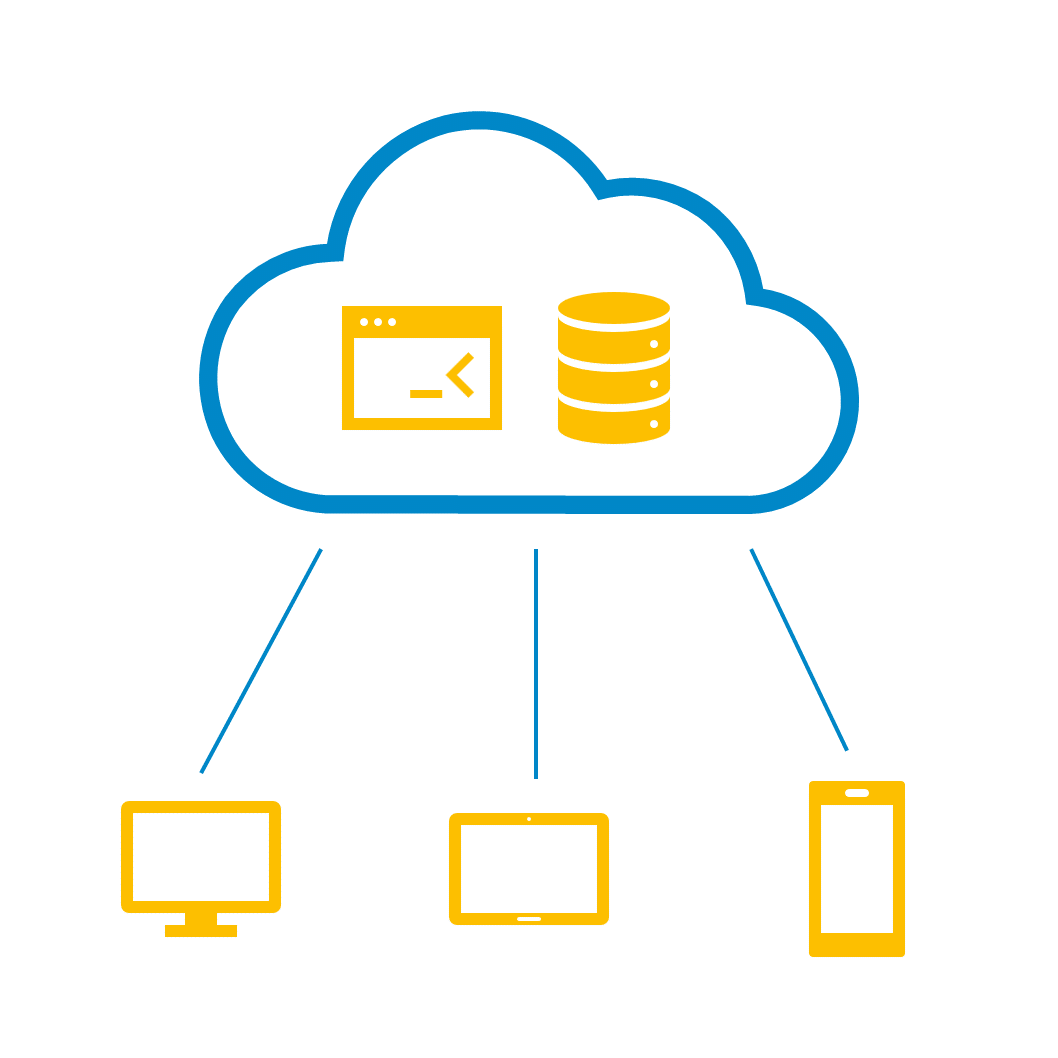
Software-as-a-Service (short: SaaS) is a cloud-based model for the licensing and delivery of software applications.
When a software is offered as SaaS, a customer can access and use it via the Internet without having to install the software themselves. Hosting, maintenance and updates are commonly handled by the SaaS provider.
[[ROW]]
For the users of such SaaS applications, the model offers some core advantages: Companies are able to save costs on servers, staff and IT service providers while at the same time reducing the complexity of their own IT infrastructure. Furthermore, many SaaS applications offer additional benefits when it comes to usability, security and scalability.
Due to these reasons, more and more companies are adopting the use of SaaS for all sorts of core tasks and business functions. Today, a wide variety of applications are available as Software-as-a-Service, including Customer Relationship Management (CRM) and Enterprise Resource Planning (ERP) systems such as Salesforce and SAP, text and image editing software like Microsoft Word and Adobe Photoshop or messaging platforms such as Slack.
What are the advantages of Software-as-a-Service?
For users of SaaS applications, the most important advantages include the following:
Lower costs for IT infrastructure and personnel
When using SaaS software, companies save costs for hardware, databases, security systems and similar expenses existing in a classic on-premises model. Furthermore, IT services such as maintenance, backups and updates can be shifted to the SaaS provider, reducing costs for external IT service providers and allowing the IT department to focus on different projects. Last but not least, costs for SaaS subscriptions tend to be a lot more transparent.
Quick adoption
Since SaaS applications do not require a separate installation, companies can often get started with using software right after a completing a subscription.
Improved access options
The SaaS model offers worldwide access to software via web browser, requiring only a stable internet connection. Unlike many traditional installations, access is not restricted to a company network and there is no need to configure firewalls or VPN solutions.
Performance optimization
Using load balancing and resource scaling technologies, SaaS providers can ensure that their services remain fully available and perform at a high level even in the event of increased usage.
Scalability and flexibility
Especially with larger SaaS providers, companies often have the option to flexibly expand or reduce their usage of software. This allows companies to immediately react and adapt to structural changes or similar developments.
Low investment risk
SaaS software does not require complex installation and set-up processes, which significantly reduces the cost of an initial investment. Additionally, larger providers almost always offer free trials for their software.
Improved collaboration
Larger SaaS offerings commonly include functions that span multiple departments and allow for easy data access between employees.
For many companies, Software-as-a-Service offers provide the opportunity for a greater focus on their core business. Thanks to SaaS applications, even smaller companies with limited resources are able to benefit from a wide range of software functions and high security standards without having to make their own infrastructure investments and accept the corresponding risks.
SaaS for production – ready in minutes
Setting up manubes is quick: no servers of your own, no installation, straight in the browser.
Try manubes for freeExamples
Industrial examples for Software-as-a-Service
Both private users and companies of all sizes can benefit from SaaS applications when compared to self-installed software.
Well-known SaaS examples include Salesforce, SAP, Slack and Microsoft 365. In the following use cases, we focus on examples from the industrial sector where SaaS applications are used across departments and for a wide variety of tasks:
Customer Relationship Management
Enterprise Resource Planning
Supply Chain Management
IT Service Management
Software-as-a-Service for industrial production
Industrial manufacturers also benefit from cloud software that is available anywhere & anytime and enables an intelligent management and monitoring of production processes.
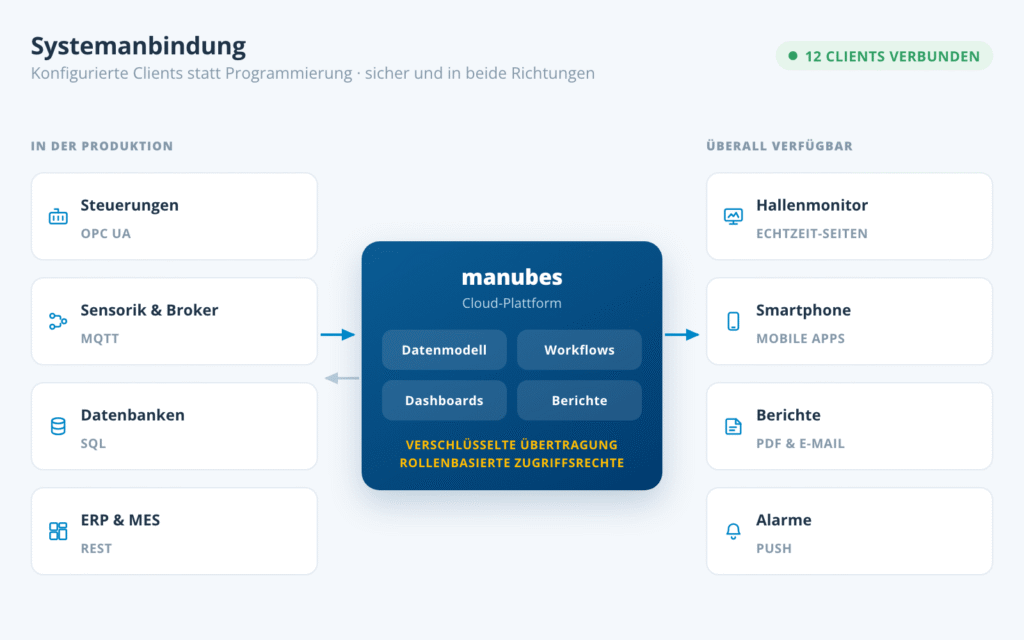
An example for SaaS in this area is manubes, our cloud platform for digital production management. With manubes, you are not only able to collect, store and visualize production data but also automate central production processes using the manubes workflow builder.
manubes offers all the core advantages of the Software-as-a-Service and Platform-as-a-Service models:
- Access to manubes can be set up within minutes.
- The platform offers worldwide access on a wide range of end devices.
- Modern cloud technology ensures a high level of security and performance.
- manubes allows you to create specialized applications for visualization, management and automation of production processes.
Optimize your production with manubes

manubes offers a central platform for production data management, data visualization and workflow-based process automation.
Manufacturers gain access to a variety of innovative tools in order to quickly develop their own applications – tailored to their requirements.
Models
Related models – PaaS, IaaS and more
Alongside Software-as-a-Service, there are other related „as-a-Service“ models that are based on cloud computing.
Platform-as-a-Service (PaaS)
Infrastructure-as-a-Service (IaaS)
Everything-as-a-Service
Comparison
SaaS or on-premise?
Besides the SaaS model, some companies still run their software on their own servers (“on-premise”). Both approaches have their place – the table shows how they differ in day-to-day use.
| Criterion | On-premise (own servers) | SaaS (cloud) |
|---|---|---|
| Investment | Hardware, licences and set-up up front | Monthly or annual subscription, little up-front investment |
| Adoption | Planning, installation and configuration often take weeks to months | Often usable right after signing up |
| Maintenance and updates | Handled by your own IT team | Handled by the provider |
| Access | Usually limited to the company network; external users need a VPN | Location-independent via web browser |
| Scaling | New hardware has to be procured | Resources and features can be adjusted flexibly |
| Cost planning | High fixed costs, follow-up costs hard to predict | Transparent, predictable subscription costs |
| Control and customization | Full control over systems and data | Depends on the provider and the platform’s range of functions |
Which model fits depends on security requirements, existing systems and IT capacity. For a detailed comparison, see Cloud vs. on-premise for production; hybrid set-ups are also possible (Cloud vs. hybrid vs. on-premise).
Risks
Disadvantages and risks of SaaS – and how to reduce them
SaaS also has disadvantages: you hand data and operations over to a provider. Most risks can be managed well through the choice of provider and clear contracts. The table shows the typical issues and the matching countermeasure.
| Criterion | Possible risk | How to reduce it |
|---|---|---|
| Data protection and GDPR | Your data is stored by the provider; with servers outside the EU, the legal situation can be unclear. | Choose a provider with servers in Germany or the EU and sign a data processing agreement. |
| Data security | Data is transmitted over the internet and stored centrally. | Require encrypted transmission, role-based access rights and a documented security concept. |
| Data loss | If a system fails at the provider, data and application are affected. | Agree on regular backups, availability commitments (SLAs) and a way to export your data. |
| Dependence on the provider | Switching can be costly if data and processes are tied closely to the system. | Check standard interfaces and data export; put notice periods and support in the contract. |
| Internet connection | Without a stable connection, the application is not available. | Plan a redundant connection; do not make critical processes depend on a single line. |
| Customization and cost | Individual adjustments are limited; subscription fees are ongoing. | Compare scope and pricing model in advance and test them in practice with a free trial. |
How manubes addresses these points for production is described in the security concept. It includes Cloud Services Made in Germany, service level agreements under German law, and a connection of production via outgoing connections, so that no incoming connections into your production network are required.
Trends & Future Outlook
Current trends in SaaS
The market for Software-as-a-Service has been characterized by strong growth for years. statista forecasted a SaaS market size of 232 billion U.S. dollars for 2024.
A report by Gartner also predicts strong growth in cloud-based service offerings. According to the market research company, up to 70% of companies could be using industrial cloud platforms by 2027 (compared to 15% in 2023).
Many companies are recognizing the advantages of the SaaS model and software providers have been moving away from traditional licensing models for some time now.
Furthermore, a trend towards an ever greater range of functions can be observed in SaaS offerings from larger providers. Increasingly, platforms are being made available that connect a wide variety of business areas (logistics, production, administration, marketing, IT) and combine central company functions in one single interface.
Frequently asked questions about SaaS
What is SaaS in simple terms?
SaaS stands for Software-as-a-Service: you use an application over the internet instead of installing it yourself. The provider runs the servers, maintenance and updates. You usually pay a subscription and access the software through a web browser, from any location and any device.
What is an example of SaaS?
Well-known SaaS examples are Salesforce (CRM), SAP (ERP), Slack and Microsoft Teams (communication) or Microsoft 365. In industry, SaaS applications are used for CRM, ERP, supply chain management, IT service management and production management, for example the cloud platform manubes. More in the section Industrial examples for Software-as-a-Service.
What is the difference between SaaS, PaaS and IaaS?
The three models differ in how much the provider takes care of. With IaaS, the provider supplies only virtual computing infrastructure; with PaaS, also a platform for developing and running applications. With SaaS, you get the finished application. See the section on related models for more.
Is SaaS the same as cloud computing?
No. Cloud computing is the umbrella term for computing power, storage and software delivered over the internet; SaaS is one cloud model in which you use a finished application. Other models are PaaS and IaaS (see related models). More: What is cloud computing?
What are SaaS platforms?
SaaS platforms combine several business functions such as logistics, production, administration or IT in one application with a shared interface. In industry, this includes systems for CRM, ERP, supply chain management and production management.
What is a SaaS company or SaaS product?
A SaaS company develops and runs software and sells access to it as a subscription over the internet. Its SaaS product is the finished application that customers use in the browser without installing anything. manubes is an example for industrial production.
Is SaaS secure?
That depends on the provider, but reputable providers often reach a higher level of security than self-hosted IT. They rely on specialist teams, continuous updates, backups and access controls. Check the server location, certifications and data processing agreements. This is how it works at manubes: security concept.
How much does SaaS cost?
Costs depend on the provider and scope, usually as a subscription per user, feature set or data volume. There is no investment in your own hardware, and costs are easy to plan. Many providers offer free trials, so you can try the model without risk.
What are the disadvantages of SaaS?
The main disadvantages are dependence on the provider, data protection questions, the required internet connection and limited customization. Servers in Germany, a data processing agreement, backups and a data export option usually reduce them well. Details in the section Disadvantages and risks of SaaS.
When does on-premise make more sense than SaaS?
On-premise makes sense if strict rules apply to data storage or network connections, or if existing systems do not fit in the cloud. In return, you bear operation, maintenance and scaling yourself. For most applications SaaS is faster and cheaper; a combination is often sensible as well. See the section SaaS or on-premise? for details.
Is manubes a SaaS solution?
Yes, manubes is a cloud platform for digital production management and offers the advantages of both Software-as-a-Service and Platform-as-a-Service. You access manubes in the browser, need no servers of your own and can build your own applications with the design tools. Try it for free.
Product video: Get to know manubes
Further information


Try manubes for free
Test the different manubes features in your personal cloud environment.
Get started
